You published 30 articles with AI. Fast, clean, well-structured posts. Then you checked your site and found two problems: half the articles had zero internal links connecting them to anything, and the other half had links pointing to URLs that return 404. Internal linking for AI content isn’t a polish step you add at the end — it’s a structural problem that breaks your entire topical-authority strategy before Google ever crawls the first post.
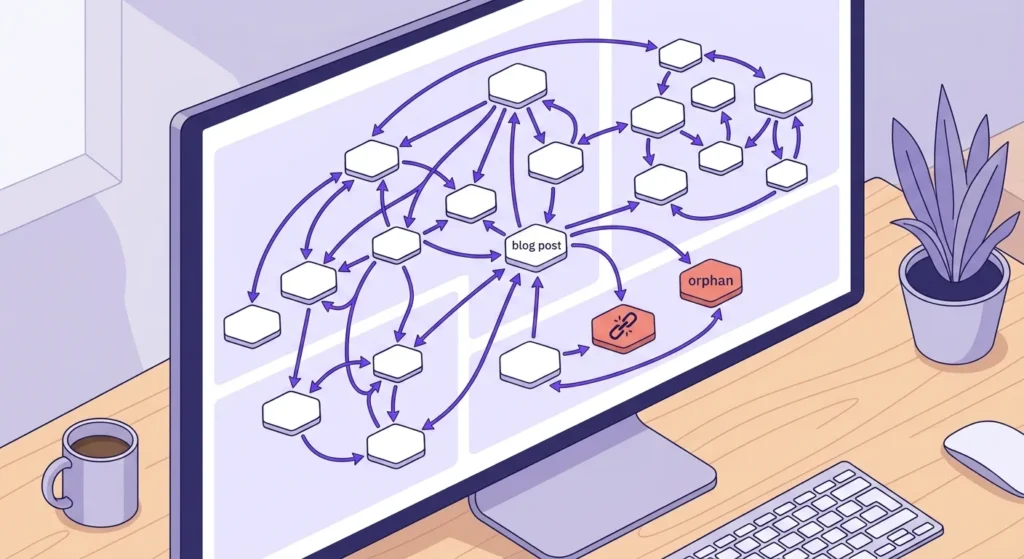
The two failure modes have names. Orphan posts: AI writes each article in a vacuum, never referencing other pages on your site because it has no idea what else you’ve published. Hallucinated links: AI generates plausible-looking URLs — the kind that follow your site’s pattern perfectly — but points them at pages that don’t exist. Both failures share one root cause. This article gives you the two-part system — a URL Registry and a Cluster Map — that eliminates both without requiring you to manually audit every post you publish.
- Root cause: AI has no access to your site’s URL index — so it either ignores internal links entirely or invents URLs that pattern-match your domain but resolve to nothing.
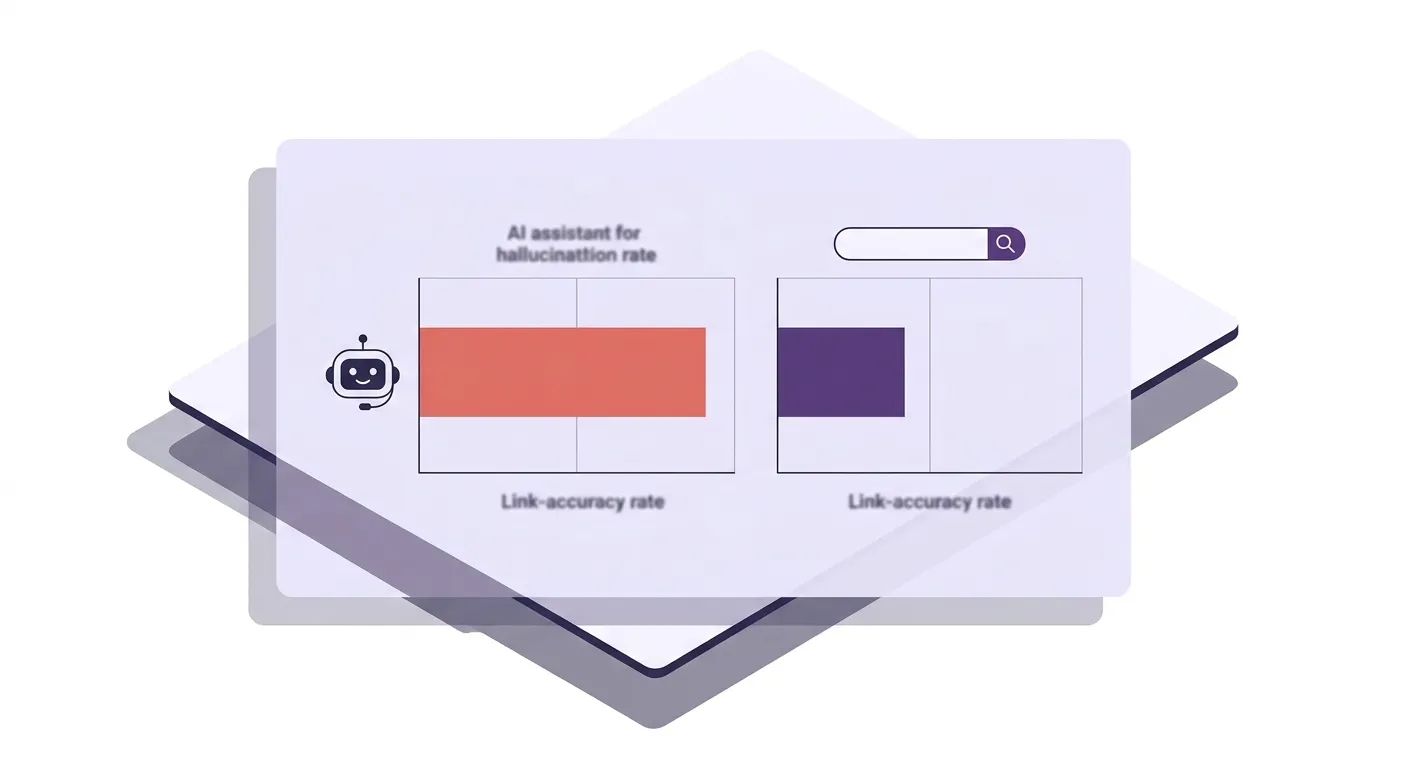
- Hard data: A study of 16 million URLs found AI assistants send visitors to 404 pages 2.87× more often than Google Search; ChatGPT alone hits a 1.01% broken-link rate on clicked URLs.
- The URL Registry fix: A plain-text list of every real, published URL on your site — pasted directly into your AI prompt — constrains the model to links that actually exist.
- The Cluster Map fix: Build a hub-and-spoke diagram before writing begins, assigning each article its hub and sibling links. Internal linking becomes a planning decision, not an editing task.
- Together, these two artifacts turn a pile of disconnected AI posts into a topical-authority web — no post-publish audit required.
Why AI Produces Broken Internal Links
The problem isn’t that AI is careless. It’s that AI has no index of your site. When a language model generates an internal link, it isn’t reading your sitemap or crawling your domain — it’s pattern-matching against URL structures it encountered during training. It knows that cooking blogs tend to use slugs like /recipes/pasta-carbonara/, and affiliate sites often structure URLs as /category/product-name/. So it generates strings that look structurally valid for your domain but point to pages that were never published. The link looks right. It resolves to nothing.
A 2025 Ahrefs study of 16 million unique URLs confirmed this at scale: AI assistants collectively send visitors to 404 pages 2.87× more often than Google Search. ChatGPT is the worst offender — 1.01% of actually-clicked URLs returned a 404, compared to a 0.15% baseline for Google. That’s a roughly 6.7× gap on real traffic. And that’s the hallucination problem. The orphan problem is quieter but equally damaging: when AI isn’t inventing bad links, it’s producing articles with zero internal links at all, because you gave it no URL data to reference and no instruction to link. Google’s crawl documentation is explicit — links must be standard <a href> anchor elements pointing to URLs that actually resolve. An AI-generated post full of invented slugs, or a post with no links at all, gives Google’s crawlers nothing useful to follow.
Building a URL Registry Your AI Can Actually Use
The fix is structural, not editorial. A URL Registry is a plain-text or spreadsheet document with two columns: Article Title and Full URL. Every post you’ve published goes in. Every time a new post goes live, you add it before you close the browser tab. That’s the entire artifact — but it’s the only thing standing between your AI sessions and another round of invented 404s.
You paste this registry directly into your AI prompt under a clearly labeled header, like ## AVAILABLE INTERNAL LINKS. Immediately below that, you add one hard constraint: “You may only insert internal links from the list above. Do not invent, infer, or suggest any URLs not present in that list.” That single instruction eliminates hallucination at the source. The AI can’t link to a page that isn’t in the registry because you’ve explicitly forbidden it from doing so. This system slots naturally into a broader AI writing workflow — if you’re building a full content pipeline, the complete approach to writing SEO articles with AI covers how the registry fits alongside research, briefing, and draft generation. And if your goal is for those linked articles to actually rank, the playbook in how to make AI content rank in 2026 addresses the broader quality signals that determine whether your topical clusters gain traction.
Cluster Mapping: Design the Links Before You Write
Most operators treat internal linking as an editing task — something you do after the article exists. That framing is the reason AI-written content ends up full of orphans. By the time you’re editing, the AI has already written 1,500 words with no context for what else lives on your site. The right frame is architectural: you design the link structure before the first word is drafted.
A cluster map is a simple table — Notion, Google Sheets, a plain text file — that lists every planned article in a topic cluster and assigns three things to each: (1) the hub page it links to, (2) one or two sibling spoke articles it links to, and (3) the intended anchor text for each link. Build this once per cluster, update it as new spokes are added, and pull from it every time you open a new AI writing session. This is how you prevent orphans structurally rather than fixing them after the fact. Google’s helpful-content guidance makes clear that content depth and topical completeness are real ranking signals — a cluster where every article connects to every other relevant article is the mechanical expression of that depth. The cluster map is what makes that connection intentional rather than accidental.
The Prompt Template That Runs the System
Here’s what the actual prompt structure looks like, ready to adapt for your next session:
## AVAILABLE INTERNAL LINKS
[Article Title 1] — [Full URL]
[Article Title 2] — [Full URL]
[Article Title 3] — [Full URL]

## LINKING INSTRUCTIONS
You may ONLY insert internal links from the list above.
Do not invent, infer, or suggest any URL not present in that list.
Insert 2–3 internal links within body paragraphs — not in a references section.
Use descriptive anchor text that reflects the linked page's core topic.
Vary anchor phrasing across links — do not repeat the same anchor text twice.
Paste your URL Registry under the first header. Pull only the relevant cluster URLs — the hub and one or two siblings — not your entire 200-post site index. Giving AI too many options produces the same noise problem as giving it none.
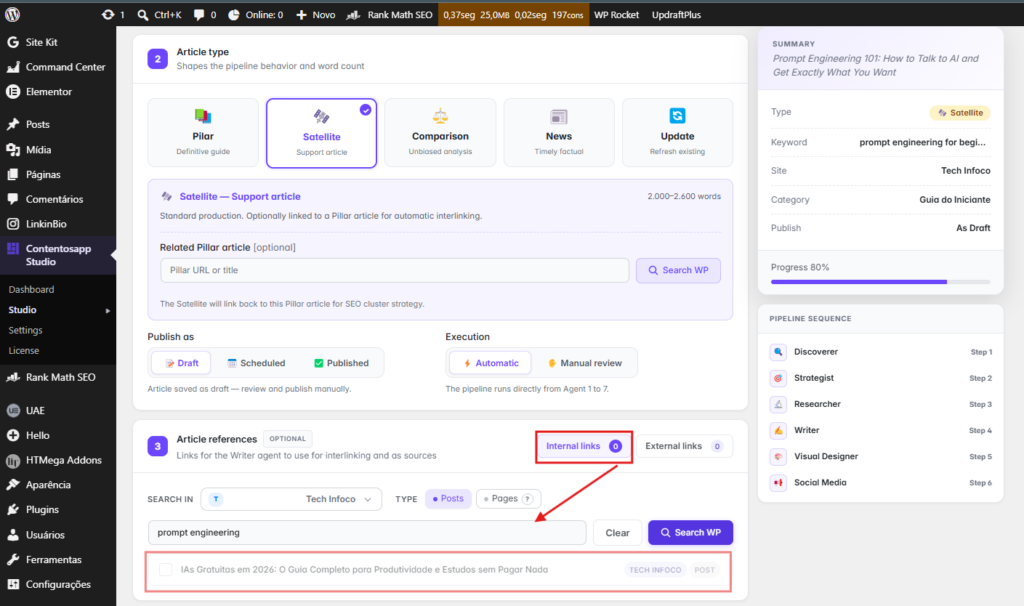
The system only holds if the registry stays current. Most operators build it once and stop updating it after the first 20 posts. Then six months later they discover every article published after that date is either orphaned or 404-linked. The fix is a 30-second habit: when a post publishes, you add its title and URL to the master registry doc before navigating away. That single trigger, repeated consistently, is what keeps a 100-post or 200-post site’s internal link structure accurate without any retroactive auditing. Or you can skip the manual registry altogether: a tool like Contentosapp Studio reads the live URLs from your connected WordPress site and lets you insert internal links by selecting from those real pages — so the list is always current and the AI never invents a URL, because it’s choosing from your actual site, not generating one.
Frequently Asked Questions
Can I just ask ChatGPT to add internal links after the article is written?
You can, but without a URL Registry in the prompt, ChatGPT will invent links. The Ahrefs study found ChatGPT sends 2.38% of all cited URLs to 404 pages — more than double the baseline rate for Google Search. Asking it to “add relevant internal links” after writing, with no list of real URLs to reference, is exactly the scenario that produces those broken links. The fix is to provide the registry before generation, not to ask for links after the fact.
How many internal links should each AI-generated article include?
Two to four contextual links per article is a reasonable target for most niche sites. More important than the number is the quality: each link should connect to a semantically related page, use descriptive anchor text, and appear inside a body paragraph — not in a sidebar, footer, or standalone references block. Google’s link documentation confirms that anchor text is a direct relevance signal, so a single well-placed link with precise anchor text outperforms four links stuffed at the bottom with generic labels.
What is the best anchor text strategy for AI content internal links?
Use anchor text that describes the target page’s specific topic — not generic phrases like “click here” or “read more,” and not exact-match keyword repetition across every link pointing to the same page. Vary the phrasing: if your hub page is about keyword research, acceptable anchors include “keyword research process,” “how to find target keywords,” and “building a keyword list” — all pointing to the same URL. This variety signals natural editorial linking to Google rather than manufactured anchor-text patterns.
Will Google penalize internal links added by AI?
Google’s ranking systems evaluate whether content is helpful and created to benefit people — not whether it was produced by a human or an AI tool. The issue isn’t that AI added the links; it’s whether those links resolve to real pages and whether the anchor text is meaningful. A broken link or a manipulative anchor pattern creates the same problem regardless of who wrote it. Verify every URL before publishing and you’re working within Google’s published helpful-content standards.
How do I find which of my AI articles have no internal links pointing to them?
Run a site crawl with any standard SEO crawler — Screaming Frog, Sitebulb, or Ahrefs Site Audit. Filter for pages with zero inbound internal links. That list is your orphan report. Once you have it, use the cluster map to retroactively assign each orphaned page to its appropriate hub and update the URL Registry so future AI sessions include that page as a valid link target. Do this quarterly if you’re publishing at volume.
Does internal linking between AI articles actually improve rankings?
Internal linking distributes PageRank across your site and signals to Google’s crawlers which pages are thematically connected and which are most authoritative. A cluster where spoke pages consistently link to a hub page concentrates topical signals on that hub — which is how many niche sites earn rankings for competitive keywords with moderate domain authority. The mechanism works the same whether the content was written by a human or an AI; what changes is that AI-generated content needs the cluster structure to be designed explicitly, since the tool won’t infer it on its own.
Conclusion
The entire internal linking problem for AI content comes down to one missing input: AI doesn’t know your site, so you have to tell it exactly what exists. Build the URL Registry today — export your published URLs into a plain-text doc, two columns, every live post. Build the cluster map before your next article series begins, not after. Then add the constraint instruction to every AI writing prompt that involves links. These three habits take less than an hour to set up and roughly 30 seconds to maintain per publish. Start with the URL export right now — that list is your registry, and it’s the only thing standing between your next AI session and another batch of posts linking to pages that don’t exist.
References
External sources
- New Study: How Often Do AI Assistants Hallucinate Links? (16 Million URLs Studied) — https://ahrefs.com/blog/how-often-do-ai-assistants-hallucinate-links/
- SEO Link Best Practices for Google | Google Search Central | Documentation | Google for Developers — https://developers.google.com/search/docs/crawling-indexing/links-crawlable
- Creating Helpful, Reliable, People-First Content | Google Search Central | Documentation | Google for Developers — https://developers.google.com/search/docs/fundamentals/creating-helpful-content