
Every subscription AI plugin eventually hits you with the same wall: a monthly fee, a word cap, and a price-per-article that makes scaling your content feel like rationing. Knowing how to use your own AI API key in WordPress — what the industry calls BYOK, or Bring Your Own Key — sounds like the obvious fix. And it often is. But the “96% cheaper!” claims floating around content marketing circles are a marketing number, not a guarantee, and they gloss over three things that actually determine whether BYOK works for your site: your real output volume, how you store the key, and which model you’re actually calling.
This article gives you the honest version. You’ll see exactly what BYOK means in a WordPress context, the real per-article cost math using current pricing from OpenAI and Anthropic, the security risks WordPress-specific tutorials routinely skip, and a tiered model strategy that determines whether your savings are real or theoretical. If BYOK isn’t right for your current output level, you’ll know that too — before you spend an afternoon configuring it. For a broader look at building an AI content workflow that holds up under Google scrutiny, the complete AI writing workflow guide lays out how BYOK fits into a full production system.
- What BYOK means: You authenticate directly with OpenAI, Anthropic, or Google — the plugin is just a UI wrapper. No subscription markup, no proxy server.
- The honest cost math: A 1,500-word article costs roughly $0.011 with GPT-5.4-mini or $0.035 with GPT-5.4. At 15+ articles/month, BYOK saves real money. Below that threshold, a subscription plugin’s support and zero-setup value may be worth the markup.
- Security is your responsibility now: Keys stored in WordPress’s database are exposed by backup exports and poorly secured phpMyAdmin access. Store yours as a PHP constant in
wp-config.phpor a server-level environment variable — not just pasted into the plugin UI. - Model choice matters more than the BYOK decision itself: Defaulting to a flagship model when Claude Haiku 4.5 or GPT-5.4-nano handles bulk content just as well can erase most of your savings (often a 10–15x price difference per article at current published rates).
- Set a hard spend cap at your provider dashboard before your first API call — this one step prevents a compromised key from becoming a real financial event.
What BYOK Actually Means in a WordPress Context
BYOK is not a plugin feature — it’s an authentication model. When you bring your own key, your WordPress site sends API requests directly to OpenAI, Anthropic, or Google’s servers using credentials you generated at those providers’ dashboards. The plugin handles the prompt formatting, streaming, and UI; it never touches the billing layer. Contrast that with subscription plugins that proxy your requests through their own infrastructure, apply a per-word or per-credit markup on top of whatever the provider charges them, and call it a flat monthly fee. That markup is the entire economic case for BYOK. What you trade for it is the support layer, the pre-built prompt templates, and the setup hand-holding those services provide.
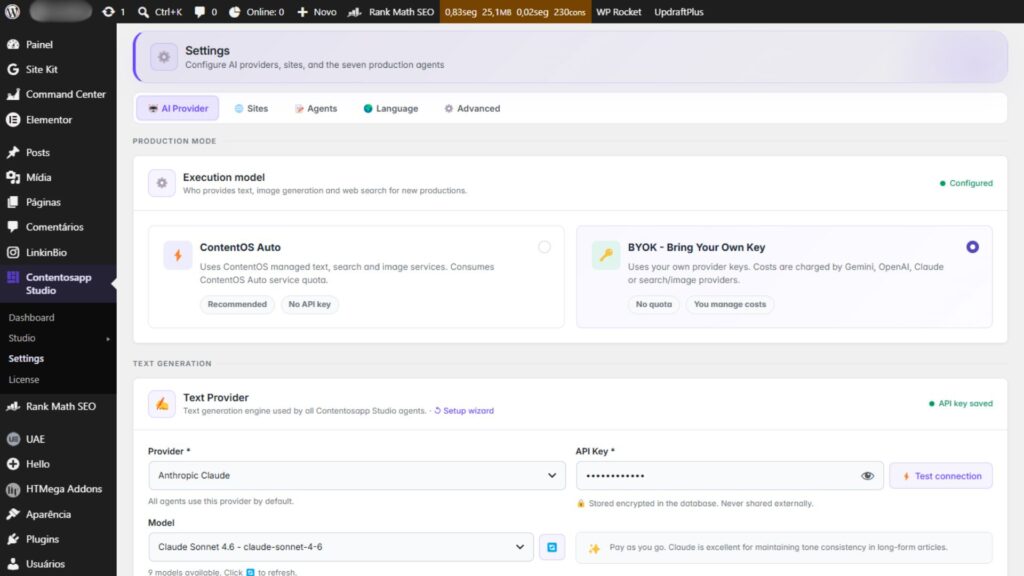
Three categories of WordPress plugins support BYOK today: AI writing assistants like Contentosapp, block editor extensions that add generation inside the Gutenberg interface, and SEO plugins with AI-powered features for meta descriptions and outline generation. Setup varies by plugin — some offer a dedicated API settings screen inside the WordPress dashboard; others expect a PHP constant defined in your server configuration. Either way, once authenticated, the plugin calls the provider’s API on your behalf and bills directly to your account. No intermediary, no markup, no monthly word cap.
The Real Cost Math: When BYOK Saves Money and When It Doesn’t
Here’s the calculation competitors never show. A 1,500-word article requires roughly 2,000 input tokens (your prompt plus context) and 2,000 output tokens. Using current OpenAI token pricing, GPT-5.4 costs $2.50 per million input tokens and $15.00 per million output tokens — which works out to $0.005 in input cost and $0.030 in output cost, about $0.035 per article. GPT-5.4-mini, at $0.75 input and $4.50 output per million tokens, drops that to roughly $0.011 per article. GPT-5.4-nano is cheaper still at $0.20 input and $1.25 output per million tokens — approximately $0.003 per article. On the Anthropic side, Claude Haiku 4.5 is priced at $1.00 input and $5.00 output per million tokens, landing at around $0.012 per article.
| Model | Cost per article (est.) | Monthly bill at 50 articles | Monthly bill at 200 articles |
|---|---|---|---|
| GPT-5.4 | ~$0.035 | ~$1.75 | ~$7.00 |
| GPT-5.4-mini | ~$0.011 | ~$0.55 | ~$2.20 |
| GPT-5.4-nano | ~$0.003 | ~$0.15 | ~$0.60 |
| Claude Haiku 4.5 | ~$0.012 | ~$0.60 | ~$2.40 |
At those numbers, BYOK is cheaper than a $29/month subscription at essentially any realistic publishing volume — even GPT-5.4 costs less than $8/month at 200 articles. But that comparison is misleading on its own. A subscription plugin isn’t just selling you tokens. It’s selling you a managed interface, pre-engineered prompts, support when something breaks, and zero configuration overhead. If you’re publishing fewer than about 15 articles a month, your total API bill may be under $0.25 — and spending two to three hours setting up BYOK for $0.25 in savings is not a rational trade. The real question isn’t whether BYOK is cheaper on raw token cost (it always is). It’s whether your output volume justifies taking on the self-management it requires.

How to Add Your API Key to WordPress Without Exposing It
The mechanics are straightforward. Generate a key at your provider’s dashboard — OpenAI’s API keys page, Anthropic’s Console, or Google AI Studio for Gemini. Before you copy that key anywhere, set a spend limit. OpenAI’s production best practices documentation notes that new accounts start with a $100/month approved usage limit, and you can configure a notification threshold to catch runaway usage early. Do this first. A compromised key with no spend cap is a real financial exposure, not a theoretical edge case.
For storing the key in WordPress, you have three practical options: paste it into the plugin’s Admin UI settings screen, define it as a PHP constant in wp-config.php, or pass it as a server-level environment variable. The Admin UI is the easiest path and works fine for most setups — but OpenAI is explicit that “you must be vigilant about securing these keys,” and the database-storage risk is real. Keys in the WordPress options table are exposed by unencrypted backup exports, readable by any other plugin with database access, and potentially visible through phpMyAdmin on shared hosting environments. Defining the key as a PHP constant in wp-config.php puts it outside the WordPress database entirely — and on a properly configured server, that file sits outside the webroot and isn’t web-accessible. Use a server-level environment variable when your host supports it for the strongest isolation. Rotate keys every 90 days regardless of which method you choose.
// In wp-config.php — keeps the key out of the WordPress database
define( 'OPENAI_API_KEY', 'sk-your-key-here' );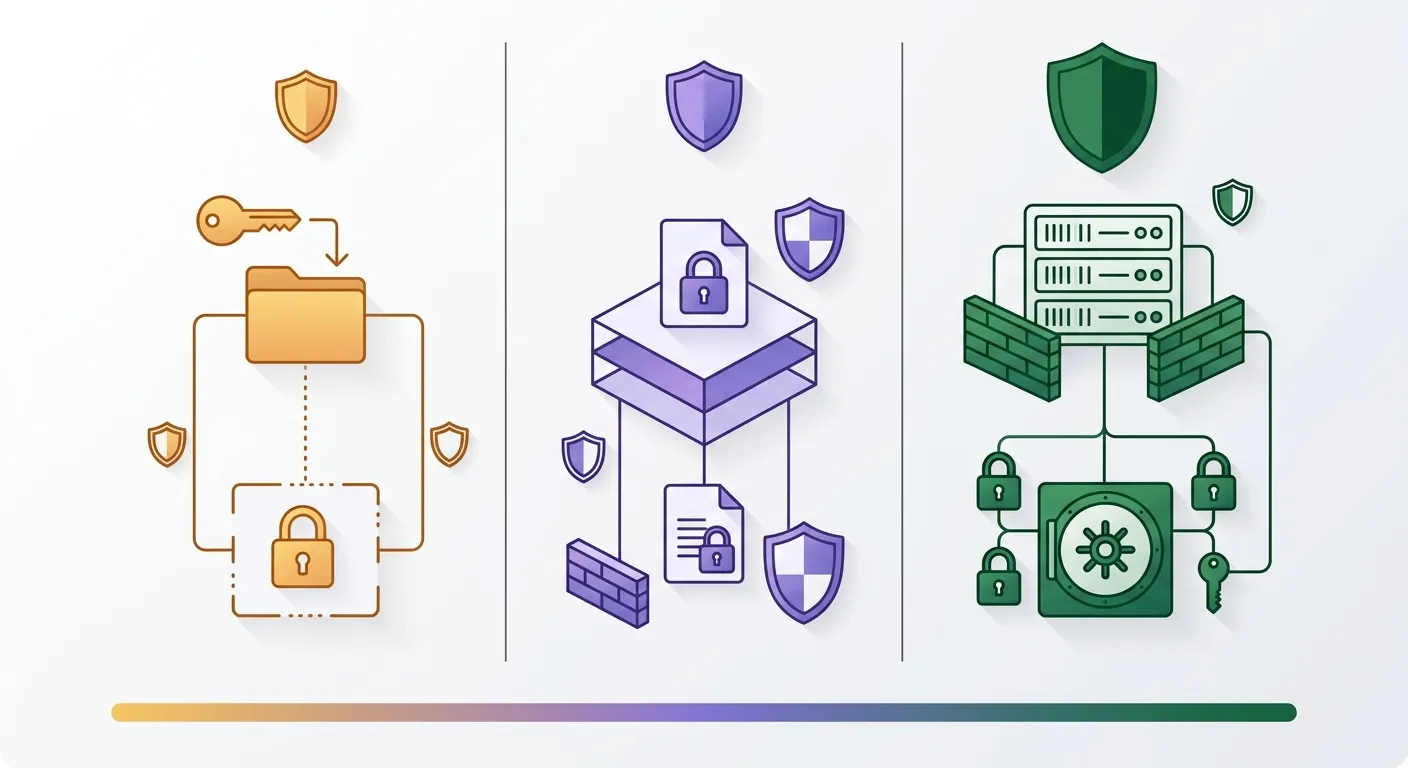
Picking the Right Model So Your Savings Are Real
The most common BYOK mistake isn’t in the setup — it’s defaulting to the flagship model for every task. GPT-5.4 costs $15.00 per million output tokens. GPT-5.4-nano costs $1.25 per million output tokens. For bulk informational content — supporting cluster posts, FAQ sections, how-to guides, meta descriptions — the output quality difference is difficult to detect in practice. You’re choosing between roughly $0.035 and $0.003 per article for content that often performs identically at the search results level. Pairing BYOK with an automated publishing workflow multiplies this decision across dozens of pieces, making the model tier you default to the single biggest driver of your total spend.
The tiered approach that makes BYOK savings concrete: use your flagship model — GPT-5.4 or Claude Sonnet 4.5, priced at $3.00 input and $15.00 output per million tokens — for money pages, comparison articles, and anything feeding directly to a conversion event. Reserve GPT-5.4-nano and Claude Haiku 4.5 for supporting content, internal link anchor suggestions, FAQ drafts, and meta description generation. This single decision can cut your total BYOK spend by 60–70% compared to using one model across your entire operation. The “96% cheaper than subscription” claim only holds if you’re also choosing the right model for the right task. Migrate to BYOK and default to GPT-5.4 for everything, and your bill grows with your output — the savings evaporate at exactly the scale where you expected them to kick in.
Frequently Asked Questions
Do I need a paid API plan to use my own key in WordPress, or does a free tier work?
Google’s Gemini API offers a rate-limited free tier through Google AI Studio, which works for low-volume testing in WordPress. OpenAI and Anthropic do not offer ongoing free API tiers — new accounts receive initial credits at signup, but any sustained content operation requires a paid plan. For production use, budget a paid account from the start. OpenAI’s billing defaults to a $100/month approved usage limit, which you can adjust through your account’s limits settings page.
Can I use more than one AI provider’s key in the same WordPress site?
Yes. Most BYOK-compatible plugins support multiple provider credentials simultaneously. You can configure OpenAI, Anthropic, and Gemini keys in the same installation and route different tasks to different providers. Some AI writing plugins let you set per-task model preferences — useful when you want Claude Haiku 4.5 for bulk supporting content and GPT-5.4 for high-stakes pillar pages. The configuration interface varies by plugin, but the underlying approach is the same: each provider has its own key stored separately.
What happens if someone steals my API key — am I liable for the charges?
Yes. You are liable for any usage billed to your key, regardless of who initiated the requests. Neither OpenAI nor Anthropic covers fraudulent charges resulting from key exposure on your end. This is why a hard spend cap at the provider dashboard is non-negotiable before you connect a key to WordPress — not an optional step. If a key is compromised, revoke it immediately from the provider’s dashboard and generate a replacement. The financial risk is the primary argument for using wp-config.php storage over the Admin UI option on shared hosting environments.
Does using my own API key mean the AI provider can see my WordPress content?
The content you include in API requests — your prompts, outlines, and draft text — does pass through the provider’s servers. OpenAI, Anthropic, and Google all publish data usage policies that address whether API inputs are used for model training; generally, API data is not used for training by default on paid plans, but you should read each provider’s current terms directly. Your WordPress database, site files, and content that you don’t explicitly send in an API request are not accessible to the provider.
Which AI model gives the best output quality per dollar for long-form blog posts?
For supporting informational content, GPT-5.4-nano and Claude Haiku 4.5 offer the strongest quality-to-cost ratio at current pricing — both under $0.015 per 1,500-word article. For pillar pages, comparison posts, or any content where depth and nuance matter, GPT-5.4 or Claude Sonnet 4.5 are worth the step up. “Best per dollar” is genuinely task-dependent: a flat model recommendation ignores the 10–15x cost difference between the nano and flagship tiers, which is the core variable that makes or breaks real BYOK savings.
Will switching to BYOK break the AI plugin’s existing generated content or settings?
No. Switching to BYOK changes how the plugin authenticates future API calls — it has no effect on content already generated and saved in WordPress. Your existing posts, customizations, and plugin configurations stay intact. The only thing that changes is where future API requests are billed: previously through the plugin provider’s account (with their markup), now directly to yours. Run one test generation after setup to confirm the connection is live before committing to a full workflow.
BYOK in WordPress is a genuine cost optimization — but only under the right conditions. If you’re publishing consistently at 15 or more articles per month and willing to manage one extra configuration layer, the math is clear: even a flagship model costs a fraction of what any subscription plugin charges per article. The decision rests on two things most guides skip. First, store your key in wp-config.php or a server-level environment variable, not the WordPress database, and set a hard spend cap before your first API call. Second, match your model tier to the task — nano and Haiku for bulk supporting content, flagship models for your highest-value pages. That one decision is what separates real BYOK savings from the same bill in a different line item. Start with a $10 spend cap, verify the connection, and scale from there.
References
External sources
- Pricing | OpenAI API — https://developers.openai.com/api/docs/pricing
- Pricing – Claude API Docs — https://platform.claude.com/docs/en/about-claude/pricing
- Production best practices | OpenAI API — https://developers.openai.com/api/docs/guides/production-best-practices
- Gemini Developer API pricing | Gemini API | Google AI for Developers — https://ai.google.dev/gemini-api/docs/pricing