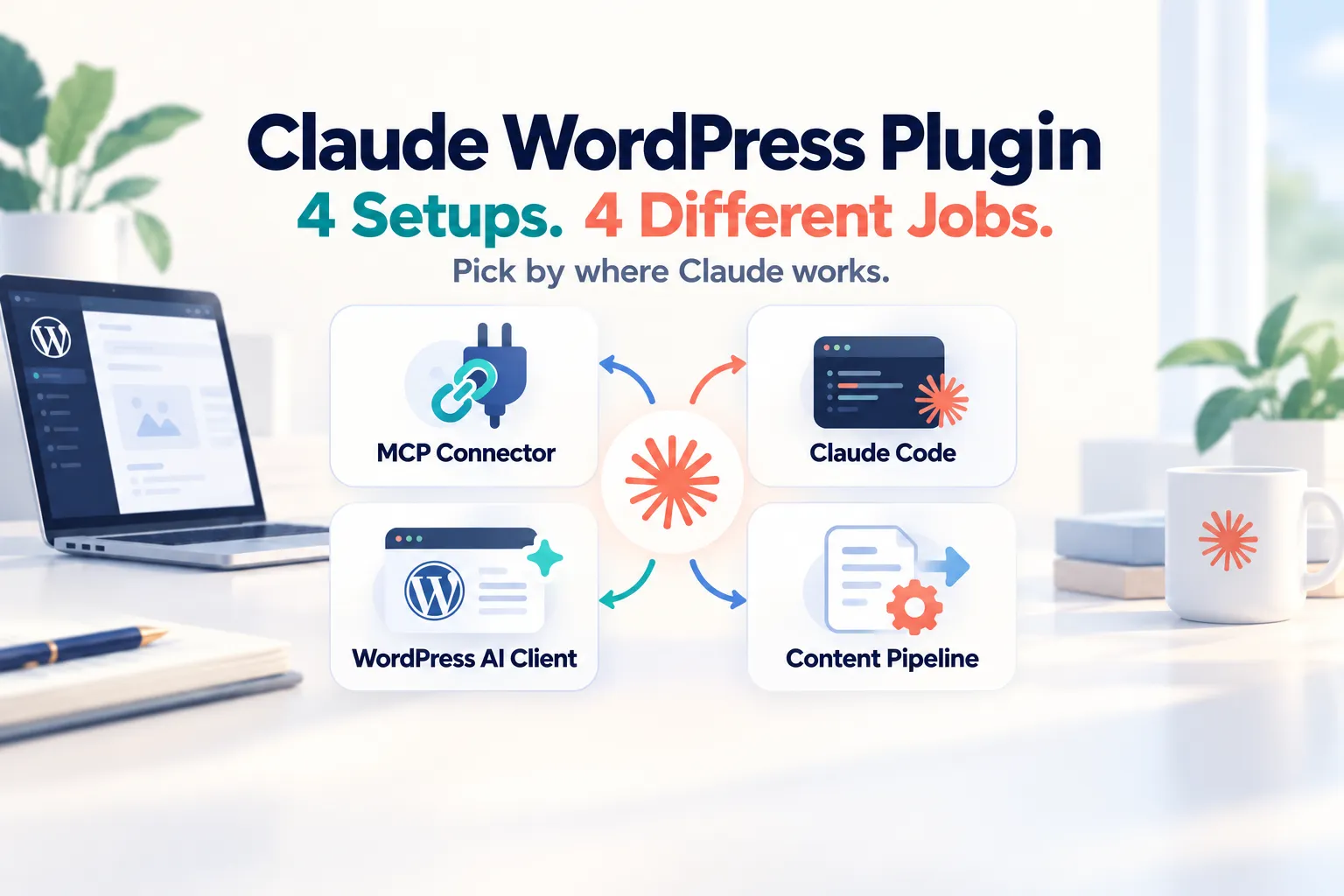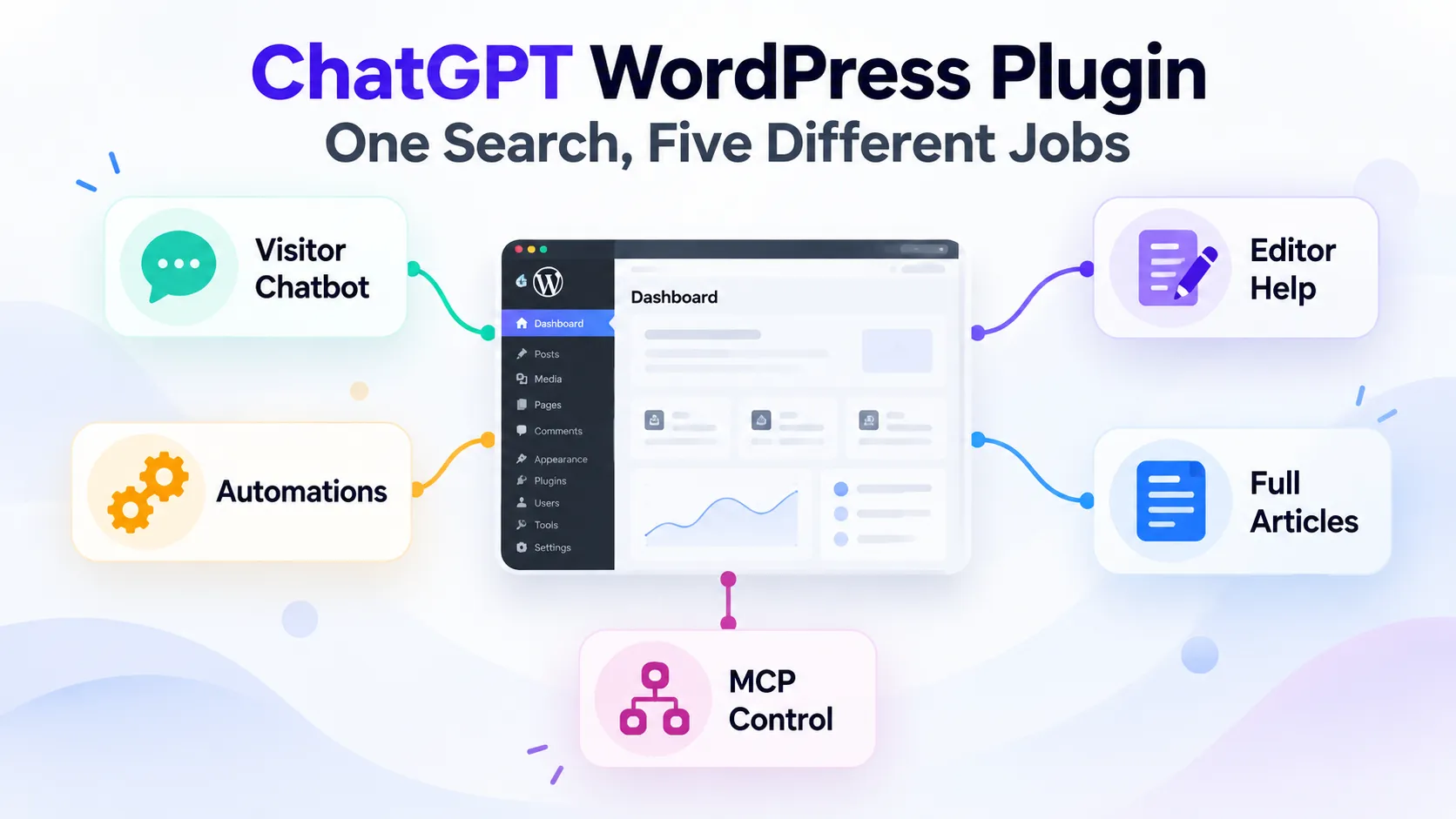
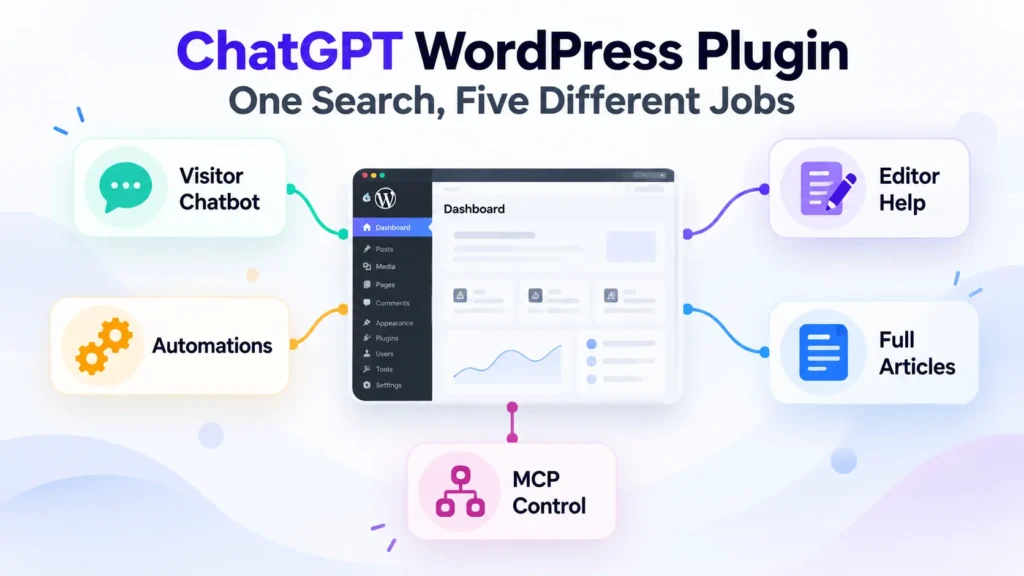
You search for “ChatGPT WordPress plugin” and get a page full of tools that look interchangeable. They are not. That search term now covers at least five different jobs: a visitor chatbot, writing help inside the editor, no-code automations, full article generation, and MCP-style site control from ChatGPT or Claude.
The first question is therefore not “Which plugin is best?” It is “What job do you actually need done?” A chatbot-first plugin can be a poor choice for long-form publishing. An automation engine can be excellent at connecting WooCommerce, forms, email, and AI without being an editorial tool. And a full-article pipeline may have no reason to include a visitor-facing chatbot at all.
WordPress 7 adds another layer of confusion. Core now includes a Settings → Connectors screen and a provider-agnostic AI Client, but those are infrastructure. They do not turn WordPress Core into a writing assistant, and a key configured there does not automatically become available to every third-party AI plugin.
One more distinction matters before you install anything: a ChatGPT subscription and OpenAI API billing are separate systems. If a plugin asks for an OpenAI API key, your ChatGPT Plus or Pro subscription does not fund those API calls. That misunderstanding is one of the easiest ways to choose the wrong setup and pay twice for something you expected to be included.
What WordPress 7 Already Does — and What It Doesn’t
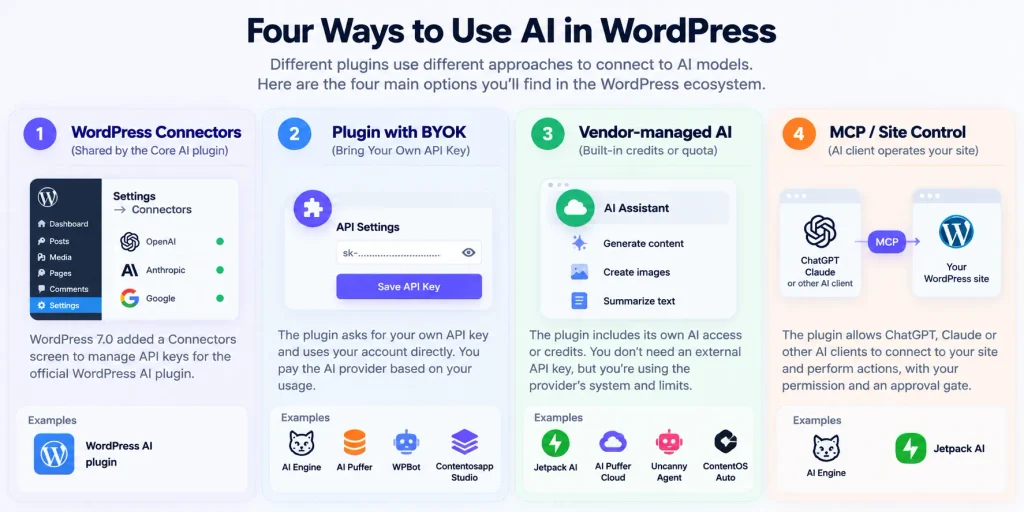
WordPress 7.0 introduced the Connectors API, a standardized way for WordPress to register and manage connections to external services. The first featured AI connectors are Anthropic, Google, and OpenAI. Core can read credentials from an environment variable, a PHP constant, or the WordPress database.
One security detail is worth stating precisely: WordPress Core’s Connectors documentation says database-stored API keys are masked in the interface but are not encrypted by Core itself. The separate free WordPress AI plugin includes an opt-in Key Encryption experiment that encrypts AI provider keys at rest with libsodium. Those are two different layers, and they should not be conflated.
WordPress 7.0 also ships a provider-agnostic AI Client. That gives plugin developers a consistent PHP interface for sending prompts to configured models. It is infrastructure, not a user-facing writing tool. WordPress Core by itself does not suddenly write posts, run a chatbot, or generate a complete article because the AI Client exists.
The practical takeaway: the WordPress AI plugin is explicitly built around Connector plugins and the Settings → Connectors screen. AI Engine, AI Puffer, WPBot, and Contentosapp Studio expose their own provider configuration when you use their BYOK modes. Uncanny Automator can use external AI accounts in recipes but also offers its own Uncanny Agent mode without an API key. Jetpack AI offers a vendor-managed assistant and an MCP connection path. In other words, one key in Settings → Connectors is not a universal key for every AI plugin you install.
Your ChatGPT Subscription Does Not Become WordPress API Credit
OpenAI’s own billing documentation is clear: ChatGPT and the API platform have separate billing systems. A ChatGPT Plus or Pro plan gives you access to ChatGPT features under that subscription. It does not automatically create API credit for a WordPress plugin that asks for an OpenAI API key.
ChatGPT subscription and OpenAI API credit are not the same thing
ChatGPT Subscription
ChatGPT Plus / Pro
OpenAI API
API key + platform billing
One newer exception: AI Provider for ChatGPT, a third-party plugin that is not made by OpenAI, connects a ChatGPT Free, Plus or Pro account to the WordPress AI Client through OAuth. Plugins built on that client, such as the WordPress AI plugin, can then use your subscription instead of an API key. It is an early release that supports text but not images, it does not support Business, Edu or Enterprise accounts, and its own listing asks you to review OpenAI’s Terms of Use before enabling it on a production site. Plugins that use their own OpenAI key field instead of the WordPress AI Client will not use it.
There are two different directions of integration. In a traditional BYOK setup, WordPress calls the AI provider: the plugin sends requests using a provider key and usage is billed by that provider. In an MCP-style setup, your AI client connects to WordPress: AI Engine and Jetpack AI both document ways for ChatGPT, Claude, Claude Code, or another MCP-compatible client to operate on the site. That does not turn your ChatGPT subscription into WordPress API credit; it is a different architecture entirely.
If you want to avoid provider-key management, there are vendor-managed routes. Jetpack AI includes 20 free requests before requiring a paid plan. AI Puffer offers an optional Cloud provider with a free monthly allowance and top-ups. Uncanny Automator includes free Uncanny Agent usage in Lite and more usage in paid plans. Contentosapp Studio’s Free plan includes three one-time ContentOS Auto trial productions, while BYOK remains separate. For exact OpenAI model prices, use the live OpenAI API pricing page rather than hard-coding a rate into a buying decision; model names and pricing tiers can change.
If you want the setup details for BYOK specifically, the Contentosapp BYOK guide walks through the account, key, billing, and WordPress-side configuration.
Five Jobs, One Keyword: A Decision Map
“ChatGPT WordPress plugin” is really a bundle of different intents. Start with the job, then choose the tool.
One Search. Five Completely Different Jobs.
Start with what you need WordPress to do. The plugin category becomes much clearer after that.
Visitor Chatbot
Answer visitor questions, provide support, capture leads, or use site content as a knowledge base.
Editor Assistance
Write, rewrite, summarize, translate, generate images, or improve content inside WordPress.
Automation Recipes
Trigger AI actions when something happens across WordPress plugins, forms, stores, or external apps.
Full Article Generation
Produce complete posts rather than isolated snippets, titles, or paragraph rewrites.
MCP Site Control
Let an external AI client inspect or operate your WordPress site through controlled permissions.
The distinction matters because feature overlap is not the same as job fit. AI Puffer, for example, spans chatbot, article generation, and automation. AI Engine spans chatbot, editor help, content generation, and MCP. WPBot is chatbot-first but now also documents a visual Automator. Jetpack AI spans editor assistance and MCP-style site control. A job-first matrix is therefore more useful than a generic “top plugins” ranking.
You will also see SEO plugins and page builders in “best ChatGPT plugin” lists, because several of them, such as AIOSEO, Rank Math, Elementor and SeedProd, now ship AI features of their own. If you already use one of them, check those built-in features before adding another AI plugin. This guide focuses on standalone AI plugins.
If your real question is whether you should keep working conversationally in ChatGPT or move to a structured publishing pipeline, this separate ChatGPT vs. AI content pipeline comparison covers that decision directly.
How to Vet Any ChatGPT WordPress Plugin Before You Install
Decision Matrix: Seven Plugins Across Five Jobs
The matrix below is intentionally descriptive rather than ranked. “Not documented” means the reviewed official page did not document that capability; it is not proof that the feature can never exist in an add-on, beta, or separate product.
| Plugin | Primary job(s) | Chatbot | Editor help | Automation | Full posts | MCP / site control | AI access | Free starting point |
|---|---|---|---|---|---|---|---|---|
| WordPress AI | Block-editor AI | No visitor chatbot listed | Yes | Workflow automation listed as coming soon | No dedicated end-to-end article pipeline listed | MCP developer tool listed as coming soon | WordPress Connectors + provider connector plugin | Plugin free; provider usage separate |
| AI Engine | Chatbot, editor, content tools, MCP | Yes | Yes | Not a dedicated recipe engine | Content Studio generates posts | Yes | Own provider connectors | Free plugin; paid features exist |
| AI Puffer | Chatbot, content, images, automation, WooCommerce | Yes | Yes | Yes | Yes — article/blog generator | Not documented | BYOK or AI Puffer Cloud | Free plugin; Cloud has free allowance |
| WPBot | Visitor chatbot + WordPress Automator | Yes | No editor copilot documented | Yes — visual Automator | No editorial article tool documented | Not documented | OpenAI, Gemini, OpenRouter, Dialogflow, or non-LLM modes | Free plugin |
| Uncanny Automator | Automation recipes + Uncanny Agent | No visitor chatbot listed | Not a writing copilot | Yes — core job | Can automate content actions; not an editorial pipeline | No MCP setup required for its own Agent | BYOK integrations or managed Uncanny Agent | Lite includes free Agent usage |
| Jetpack AI | Editor AI + MCP site control | No visitor chatbot listed | Yes | Not a cross-plugin recipe engine | Can generate blog posts/pages; not a sourced multi-agent pipeline | Yes — ChatGPT, Claude, Claude Code & MCP-compatible agents | Automattic-managed AI or connected external AI client | 20 free requests |
| Contentosapp Studio | Source-grounded article pipeline | No | No editor copilot | No cross-plugin recipes | Yes — seven-agent workflow | No MCP server documented | BYOK or ContentOS Auto | BYOK has no plugin fee; Free plan includes 3 one-time Auto trials |
Sources: official WordPress.org listings, WordPress Core development notes, and Jetpack’s official AI page, checked October 1, 2026. “Not documented” means the reviewed official source did not document the capability.
Plugin-by-Plugin Analysis
WordPress AI Plugin
The free WordPress AI plugin is the clearest fit when your job is AI-assisted editing inside modern WordPress. It requires WordPress 7.0+ and the Block Editor; Classic Editor is not supported. Its current feature set includes title, excerpt, meta-description and slug suggestions, alt text, image generation and editing, summarization, translation, content resizing, editorial notes, comment tools, and other opt-in experiments.
Its architectural distinction is Connector integration. You install a provider connector such as OpenAI, Google, or Anthropic, configure it under Settings → Connectors, and the AI plugin uses that infrastructure. The plugin also offers an opt-in Key Encryption experiment that encrypts provider API keys at rest. Do not attribute that encryption to WordPress Core itself; it is a feature of the AI plugin.
This is not currently the tool for a visitor chatbot or a dedicated end-to-end article pipeline. It is also explicitly experimental, so test it in staging before making it part of a production editorial process.
AI Engine
AI Engine is the broad-framework option in this set. Its official listing documents chatbots, an editor assistant, Content Studio, image tools, forms, a full-screen Workspace, multi-provider connectors, and an MCP server. If you want several AI capabilities from one plugin rather than one narrowly defined workflow, that breadth is the main reason to evaluate it.
The MCP implementation is especially well documented. ChatGPT, Claude, Claude Code, and other clients can connect to the WordPress site; desktop clients can use OAuth, and the tools exposed to the agent are permission-aware. The listing also documents cross-site chatbots that can be embedded on external websites. This is materially different from a plugin simply sending a prompt to OpenAI.
AI Engine supports multiple providers and self-hosted/OpenAI-compatible endpoints. It requires PHP 8.1+. Paid features and pricing can change, so check the current official listing and vendor page before deciding which modules require a paid tier. For the architectural distinction between content pipelines and site-operator agents, see the agentic AI for WordPress guide.
AI Puffer (formerly AI Power)
AI Puffer is a broad AI suite. Its listing documents a trainable chatbot, article and blog-post generation, image generation, AI forms, an automation engine, WooCommerce tools, content assistance, a vector knowledge base, and REST access. For BYOK it supports OpenAI, Google Gemini, Azure, OpenRouter, DeepSeek, xAI, Ollama, and other integrations listed on the plugin page.
The chatbot can be grounded in posts, pages, products, PDFs, and other files, and the plugin can also enable web search with supported providers. That makes it more flexible than describing it as a site-content-only bot. If your goal is “one plugin with chatbot + content generation + images + automation,” AI Puffer is one of the strongest documented fits in this set.
You can use your own provider key or the optional AI Puffer Cloud. The Cloud option includes a monthly free allowance and top-ups; the plugin does not require hosted credits if you prefer BYOK. No MCP server is documented on the reviewed listing.
WPBot
WPBot remains chatbot-first, but its current scope is broader than older comparisons suggest. It can operate in non-LLM modes as well as with OpenAI, Gemini, OpenRouter, and Dialogflow, and its listing now documents a visual WordPress Automator for trigger-and-action workflows.
For AI-assisted support, its Pro feature set includes RAG-style knowledge bases that can use site content and other supported sources. That makes WPBot particularly relevant when the primary goal is front-end support or lead generation and you want the option to expand into automations without changing the chatbot product.
What it is not: an editorial writing environment comparable to a block-editor copilot or a structured article-research pipeline. If your main requirement is long-form publishing, choose a tool built around that job rather than stretching a chatbot product into it.
Uncanny Automator
Uncanny Automator is automation-first. Its core value is connecting triggers and actions across WordPress plugins and external apps without code. AI can be one step in those recipes, and the product now also includes Uncanny Agent and an AI page-building workflow.
The current listing states that Lite includes free Uncanny Agent usage with no separate AI subscription or API key required. For recipe steps that use external providers, Uncanny Automator also supports BYOK integrations with providers such as OpenAI, Anthropic, Gemini, Perplexity, Mistral, Cohere, and xAI.
If your problem is “when X happens in WordPress, have AI do Y and then trigger Z,” this is the right category to investigate. It is not primarily a visitor-chatbot product or a source-grounded editorial pipeline.
Jetpack AI
Jetpack AI combines two modes: a vendor-managed assistant inside WordPress and an external-agent connection for ChatGPT, Claude, Claude Code, and other MCP-compatible clients. The free tier includes 20 requests; paid plans add higher request capacity and MCP access according to Jetpack’s current plan page.
Inside the editor, Jetpack AI can generate text, images, tables, lists, titles, summaries, and longer blog/page content. So it would be inaccurate to label it “no full article generation.” The important distinction is that Jetpack’s official page does not describe the same source-grounded multi-agent research pipeline used by Contentosapp Studio; it is a different workflow.
Its MCP controls are now documented in useful detail: agent access is opt-in, read and write permissions are separate, writes wait for confirmation, and actions are recorded in the activity log. Jetpack Backup can be used to restore content after an unwanted change when that product is part of your plan.
Contentosapp Studio
Publisher disclosure: Contentosapp Studio is made by the publisher of this site. The claims below are limited to its official WordPress.org listing and linked public documentation.
Contentosapp Studio is built around one primary job: producing source-grounded article drafts through a seven-agent workflow — Discoverer, Strategist, Researcher, Writer, Editorial Reviewer, Visual Designer, and Social Media. The Researcher gathers source material before the Writer drafts, and reference URLs supplied by the user can be read as grounding material rather than merely appended as citations.
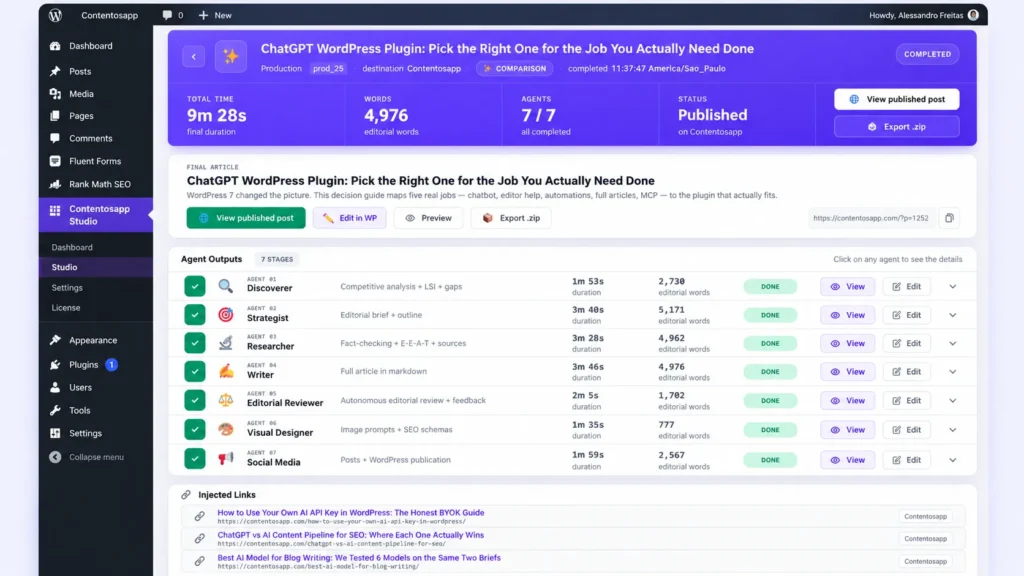
BYOK mode supports OpenAI, Google Gemini, and Anthropic Claude, has no plugin fee, and the official listing states there is no per-article cap or local production limit in that mode; provider quotas and billing still apply. The listing also links a publisher-run case study reporting 25 articles in 25 days at roughly $0.20 per article in AI usage. Treat that number as a publisher case study, not an independent benchmark: in our later six-model test, API cost ranged from about $0.05 to $1.17 per article, depending on the model and the brief. The Free plan also includes three one-time ContentOS Auto trial productions; check current ContentOS Auto pricing for paid quotas.
The boundaries are clearer than the marketing category name: supported output languages are English, Spanish, and Brazilian Portuguese; there is no visitor chatbot or MCP server documented; and BYOK credentials are configured in Contentosapp Studio rather than through the WordPress 7 Connectors screen. If model choice is your next decision, the six-model blog-writing benchmark compares cost and editorial outcomes inside the same pipeline.
Recommendations by Use Case
If you mainly need a visitor chatbot: start with WPBot, AI Puffer, or AI Engine. WPBot is chatbot-first and can work without an LLM in some modes. AI Puffer is attractive if you also want content generation, images, RAG, and automation. AI Engine is the broader framework if MCP and editor tooling matter too.
If you mainly need writing help inside Gutenberg: the WordPress AI plugin is the most native fit for the WordPress 7 Connectors stack. Jetpack AI is the more vendor-managed path and avoids provider-key setup for its built-in assistant. AI Engine is worth considering if you want editor help as part of a larger AI framework.
If you mainly need cross-plugin automation: Uncanny Automator is the automation-first option. WPBot also now documents a visual Automator, but its center of gravity remains chatbot/support. AI Puffer also includes an automation engine when you want automation inside a broader AI content suite.
If you mainly need complete article drafts: first decide what “complete” means. AI Puffer and Jetpack AI can generate long-form posts. AI Engine has Content Studio. Contentosapp Studio is the option in this set whose public positioning is specifically a source-grounded seven-agent article pipeline. Those are different workflows, not interchangeable implementations of the same feature. If draft quality is the deciding factor, our guide to the best AI content plugins for WordPress compares them on that basis.
If you want ChatGPT or Claude to operate the site: evaluate AI Engine and Jetpack AI. AI Engine documents a deep MCP toolkit with OAuth and permission-aware tools. Jetpack AI documents direct ChatGPT/Claude/Claude Code connections, read/write permission controls, confirmation before writes, and activity logging.
If you want the broadest single-plugin feature surface: AI Engine and AI Puffer deserve the closest look. AI Engine combines chatbot, editor, content, images, Workspace, providers, and MCP. AI Puffer combines chatbot, writing, images, RAG, WooCommerce, forms, and automation. The right choice depends on which of those capabilities is actually central to your site.
One category gap remains important: official listings are inconsistent about language coverage, research depth, and how “full article” generation is implemented. Do not interpret an undocumented language list as proof that a plugin cannot write in other languages. Treat it as an evidence gap and test the workflow with your own content before standardizing on it.
Frequently Asked Questions
Is there a free ChatGPT WordPress plugin?
Yes. Several tools here have free entry points, but “free plugin” and “free AI usage” are different things. The WordPress AI plugin itself is free but needs a configured provider connector and provider usage may cost money. AI Engine, AI Puffer, WPBot, and Uncanny Automator have free plugin tiers. Jetpack AI includes 20 free requests. Contentosapp Studio is free in BYOK mode and its Free plan includes three one-time ContentOS Auto trial productions.
Can I use my ChatGPT Plus subscription in WordPress plugins?
Only through one specific route. ChatGPT subscriptions and OpenAI API billing are separate, so a plugin that asks for an OpenAI API key bills your API account, not your ChatGPT plan. The exception is AI Provider for ChatGPT, a third-party plugin that connects a ChatGPT Free, Plus or Pro account to the WordPress AI Client, which plugins such as the WordPress AI plugin can use. MCP is a separate case: an external ChatGPT or Claude client connects to WordPress through a compatible plugin, instead of WordPress calling a model with your key.
Does WordPress have AI built in now?
WordPress 7.0 includes AI infrastructure: the Connectors API and a provider-agnostic AI Client. Those pieces help plugins manage connections and call models consistently, but they are not a user-facing writing assistant by themselves. The separate WordPress AI plugin adds editor-facing AI features on top of that infrastructure.
How do I add a ChatGPT-style chatbot to my WordPress site?
Choose a chatbot-first or chatbot-capable plugin such as WPBot, AI Puffer, or AI Engine, then configure the provider or managed mode it supports. If you need answers grounded in your own site content, verify the plugin’s RAG/knowledge-base setup and which sources can be indexed before you deploy the widget publicly.
Can ChatGPT connect to my WordPress site and make changes?
Yes, with an MCP-compatible setup. AI Engine documents direct connections from ChatGPT, Claude, and Claude Code, including OAuth for supported desktop clients. Jetpack AI also documents ChatGPT, Claude, Claude Code, and other MCP-compatible agents, with separate read/write permissions and confirmation before writes.
Do WordPress AI plugins use my API key or their own AI credits?
Both models exist. BYOK tools send usage to the provider account you configure. Managed tools or modes bundle AI usage into the vendor’s service or quota. AI Puffer offers both BYOK and AI Puffer Cloud; Uncanny Automator offers external-provider integrations plus Uncanny Agent; Contentosapp Studio offers BYOK plus ContentOS Auto; Jetpack AI’s built-in assistant is vendor-managed.
Can ChatGPT build a WordPress plugin for me?
It can generate useful plugin boilerplate and implementation code, but that is a development workflow, not the same problem as choosing an AI plugin from the directory. Treat generated PHP as code that still needs staging tests, capability checks, nonce validation, sanitization, escaping, and a human security review before production deployment.
The Practical Takeaway
A “ChatGPT WordPress plugin” is not one product category anymore. The useful decision is job-first: chatbot, editor assistant, automation engine, article generator, or site-control agent. Once you identify that job, the feature lists become much easier to read and the billing model becomes much easier to compare.
Before installing anything, verify three things on the current official page: the job you need is explicitly documented, the credential path matches the way you want to pay for AI, and the plugin is maintained for your WordPress/PHP environment. That is a more reliable buying method than choosing the longest feature list or the largest install count.