
Category: AI Content & SEO

How to use AI to create content that actually ranks — without the “AI slop” Google ignores. Guides on E-E-A-T, AI content quality, and SEO that survives every algorithm update.

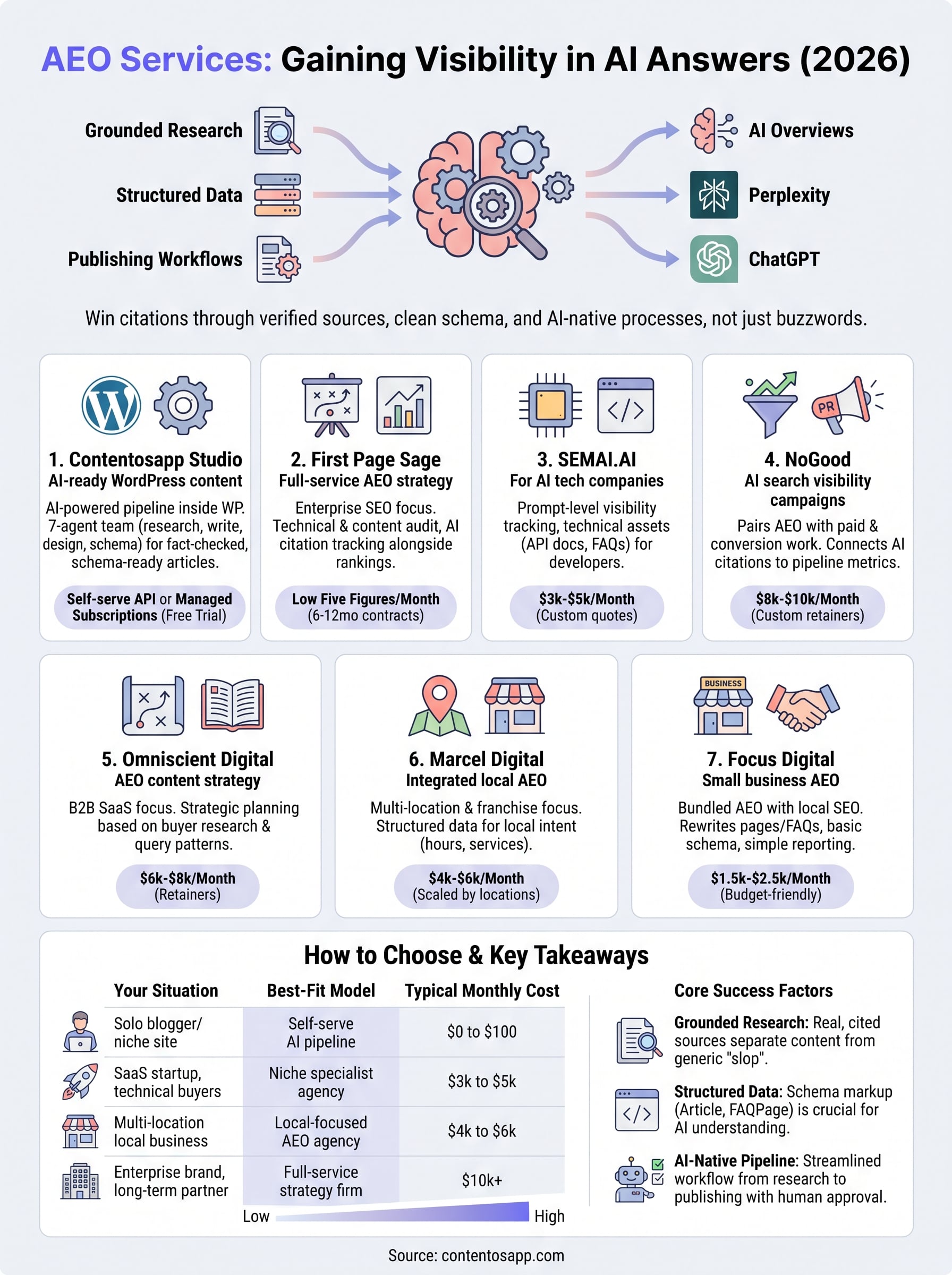
  • Answer Engine Optimization: The Complete 2026 Playbook for Winning AI Answers

    Answer Engine Optimization: The Complete 2026 Playbook for Winning AI Answers

    Here’s the reality most SEOs haven’t fully internalized yet: your content can rank #1 on Google and still be completely invisible to the user who asked a question directly above your result. That user got their answer from an AI Overview. They never scrolled down. They never clicked. Answer engine optimization — AEO — is the discipline that determines whether your content gets cited inside that answer, or whether a competitor’s does. Getting that distinction wrong is increasingly expensive.

    This isn’t a conceptual primer on why AI search matters. You already know it matters. According to the 2026 Conductor Benchmarks Report, AI has created a “parallel surface of visibility” that determines which brands appear inside AI answers before a user ever clicks — meaning brand discovery now precedes the website visit entirely. If your content isn’t structured to be extracted, cited, and surfaced by answer engines, you’re absent from that layer regardless of your organic rankings. This playbook gives you the complete implementation framework to change that — from content architecture to measurement — in a sequence you can execute this week.

    Key Takeaways: Answer Engine Optimization in 2026
    • What AEO is: The practice of structuring content so AI-powered answer engines — Google AI Overviews, Perplexity, ChatGPT, Gemini — extract and cite it when forming responses to user queries.
    • Why it’s urgent: AI has created a parallel visibility surface where brand discovery happens before any click occurs. If you’re not cited, you’re absent from the modern customer journey.
    • AEO vs. GEO vs. SEO: These are distinct but complementary disciplines — SEO earns rankings, AEO wins answer-layer citations, GEO targets pure LLM outputs. Each requires a different content format.
    • The biggest structural mistake: Publishing schema on content with vague claim boundaries. Schema on a poorly scoped passage doesn’t help — the extraction algorithm can’t isolate a clean answer.
    • Measurement without rankings: Zero-click impression share in GSC, manual citation testing in Perplexity, and brand mention monitoring are your primary AEO performance proxies.
    • Traffic from ChatGPT-style AI experiences converts at rates [up to 9× higher](https://www.forbes.com/sites/lutzfinger/2025/06/19/answer-engine-optimization-aeo–what-brands-need-to-know/) than traditional search — making AEO a revenue argument, not just a visibility one.

    What Answer Engine Optimization Actually Is (and Isn’t)

    Answer engine optimization is the practice of structuring content so that AI-powered systems — Google AI Overviews, Perplexity, ChatGPT with web browsing, Gemini — can extract, reproduce, and cite it when answering a user query. That’s the core definition. But the second half of that definition matters just as much: AEO is not a replacement for SEO. A page that can’t be indexed can’t be cited. Crawlability and authority are prerequisites, not alternatives.

    The distinction that separates AEO from traditional SEO is the success metric. Traditional SEO optimizes for a ranking position and the click that follows. AEO optimizes for citation — for the AI to pull your sentence, your statistic, your explanation into the answer it constructs. These are related objectives, but the content decisions they produce are different. A high-ranking page can be dense, long, and navigational. A citable passage must be bounded, direct, and self-contained. Those formats don’t always coexist naturally.

    What AEO is not: a magic schema layer you add to existing content, a replacement for E-E-A-T signals, or a tactic limited to definition-type queries. Any content format — guides, case studies, how-tos, comparison pages — can be AEO-ready if it’s structured correctly at the passage level. The practice scales across content types. What it doesn’t do is substitute for the foundational SEO work that puts your pages in a position to be considered in the first place.

    How Answer Engines Decide What Gets Cited

    The selection logic isn’t arbitrary. Google’s AI features use what Google Search Central officially documents as a “query fan-out” technique — both AI Overviews and AI Mode may issue multiple related searches across subtopics and data sources when constructing a response. This has a structural implication most AEO guides completely miss: a single article optimized only at its primary keyword may be invisible to the AI even if it ranks well, because the AI is simultaneously running 5 to 12 sub-searches. Content must provide complete, self-contained answers to every logical sub-question a human could ask — within the document or a tightly linked cluster.

    Three filtering layers determine whether your content gets surfaced, and most practitioners treat them in the wrong order. First, technical eligibility: the page must meet Google’s indexability and policy requirements — the same foundational requirements as classic Search, no separate AEO-specific opt-in exists. Second, passage-level legibility: does this specific block of text answer a bounded question without ambiguity? A paragraph that hedges every claim or buries the answer in qualifications fails this test even if the page overall is excellent. Third, domain authority: does the surrounding site carry enough trust that an AI system can reference it without a human editor in the loop?

    AI Overviews are also selectively triggered. According to Google’s own documentation, AI Overviews only appear “when systems determine it is additive to classic Search” — they often don’t trigger at all. This means AEO effort is best concentrated on queries where AI answers are consistently shown: complex questions, comparison queries, multi-step how-tos, and definition-anchored informational searches. Chasing AEO for transactional queries where AI Overviews rarely appear is a low-return use of optimization time.

    AEO, GEO, and SEO: How to Know Which One You Actually Need

    These three disciplines are not synonyms. Conflating them leads to wasted effort — specifically, applying GEO tactics where AEO tactics belong, or trying to run both without a clear decision rule. Here’s how the split actually works.

    Traditional SEO captures demand that exists in the SERP — users who click a result. AEO captures demand that resolves in the answer layer — users who get their answer inline and may not click at all. GEO targets AI systems that generate longer-form, synthesized responses in environments like ChatGPT, Claude, and Gemini, where the user never entered a traditional search engine. The case study evidence from 2026 confirms this: AEO focuses on answer engines like Google AI Overviews and Perplexity; GEO focuses on generative AI outputs from pure LLM environments. Complementary frameworks, not interchangeable ones. For a full breakdown of the GEO side, the complete guide to generative engine optimization goes deeper on LLM-specific strategies.

    The decision matrix looks like this. Choose AEO as your primary track when your content targets definition queries, how-to questions, or comparison searches where AI Overviews consistently appear. Choose GEO when your goal is brand presence inside ChatGPT or Claude responses — environments where users are asking conversational, research-oriented questions without a classic search entry point. Choose SEO as your foundation always — it feeds both. The original claim this article is making, and it’s one you won’t find in most AEO roundups: running AEO and GEO as parallel tracks with shared authority signals but distinct content formatting consistently outperforms treating them as a single discipline. AEO-formatted content (bounded Q&A passages, FAQPage schema) performs poorly in pure LLM environments that reward narrative authority and entity depth. Format for the surface you’re targeting.

    Dimension Traditional SEO AEO GEO
    Primary target Google SERP rankings AI Overviews, Perplexity, featured snippets ChatGPT, Claude, Gemini, Copilot, Grok
    Success metric Rankings, organic clicks Citation frequency in AI answers Brand mentions in LLM-generated outputs
    Content format Keyword-matched pages Structured Q&A, schema-rich, concise answers Authoritative, entity-rich, source-cited content
    Click intent User clicks to explore Often zero-click (answer delivered inline) Zero-click by default
    Attribution tooling Google Search Console GA4 AI search tracking (partial) No native publisher dashboard (2026)
    Maturity Decades of documentation Emerged 2024–2025 Frameworks forming now

    The Content Architecture That Makes Answer Engines Pick You

    Schema is necessary. It is not sufficient. This is the mistake that wastes the most time in AEO implementations. Practitioners add FAQPage markup to existing content and wonder why citations don’t improve. The problem isn’t the schema — it’s the underlying passage structure the schema is wrapping. An extraction algorithm can’t isolate a clean answer from a vague one, no matter how well-marked-up the surrounding HTML is.

    A citable passage has three components, in this order. First: a direct answer to a bounded question, in the opening sentence, with no lead-in padding (“Great question — this is complex, but…”). Second: a support layer — a fact, a data point, a concrete example — within two sentences of the claim. Third: a boundary condition. The passage signals where its answer stops, either by naming a caveat, a condition, or a scope qualifier. Without that third component, the AI extraction engine can’t determine where your answer ends and the next topic begins. The result: your passage gets skipped in favor of one that is more clearly scoped. This is the structural failure point most AEO guides don’t name — the biggest obstacle to citation is not missing schema, it is vague claim boundaries. A passage that says “it depends” without a conditional frame is functionally invisible to extraction.

    This architecture is documented in more detail in the passage-level method for optimizing content for AI Overviews — a worthwhile read for implementing this at scale. The short version for implementation: write each H3-level block as if it were a standalone answer to a question a user might type directly into Perplexity. If you removed every other part of the article, would that block answer its question completely? If yes, it’s extraction-ready. If not, it isn’t.

    Schema Markup for AEO: What Moves the Needle and What Doesn’t

    Not all schema has equal AEO impact in 2026. The market has overcorrected on FAQPage and QAPage schema — both are overused to the point of diminishing returns and Google has reduced their visible footprint in standard SERPs. That doesn’t mean they’re worthless; it means they’re no longer the primary lever.

    The underused schema types with actual AEO lift are Article, HowTo, and Speakable. Article schema with proper dateModified and named author entity signals freshness and authorship credibility — two machine-legible proxies that answer engines read directly. HowTo schema structures sequential content in a format that maps cleanly to how AI Overviews surface step-by-step answers. SpeakableSpecification — implemented via the speakable property inside Article schema — explicitly signals which passages are answer-ready. It’s underimplemented on most platforms, which means it currently carries a differentiation signal. The llms.txt implementation guide for WordPress covers the technical setup side where schema intersects with AI crawler accessibility — useful if you’re managing WordPress sites without developer resources.

    For sites without developer access, the minimum viable AEO schema stack is this: Article schema on all pillar and satellite content, with author linking to an indexed author page, datePublished and dateModified populated, and FAQPage added to any content that includes an explicit Q&A block. More schema isn’t better when the underlying content isn’t extraction-ready — redundant or conflicting schema creates parsing ambiguity. Fix the passages first, then layer the markup.

    Building E-E-A-T Signals That Answer Engines Trust

    Answer engines don’t evaluate E-E-A-T the way a human quality rater does. They read machine-legible proxies. Named authorship connected to an indexed author page with biographical content and external citations is read differently than a byline with no linked entity. A page cited by authoritative external domains carries a trust signal that schema alone can’t replicate. These aren’t new SEO concepts, but their weight in the AEO context is different — they’re not just ranking signals, they’re citation eligibility signals.

    The distinction worth drawing clearly: some E-E-A-T signals help SEO and therefore indirectly help AEO (domain authority from backlinks, topical depth across a cluster). Others are read directly by AI extraction systems: author structured data with a linked entity, publisher organization schema with a verified logo, publication and update timestamps in structured metadata. The full breakdown of E-E-A-T signals for AI content goes deep on which signals map to which evaluation layer — that guide is worth reading in parallel with this one.

    The 2026 Conductor Benchmarks Report frames the stakes plainly: brands that are not cited, mentioned, or referenced inside AI answers are “effectively absent from the modern customer journey” even when they rank in organic search. That’s the brand-awareness dimension of AEO that pure SEO thinking misses. E-E-A-T signals — particularly external citations and entity associations — are the mechanism that gets your brand into AI answers at the brand mention level, not just the page citation level. Build them accordingly.

    How to Measure AEO When There Are No Rankings to Track

    There is no AEO position 1. There is no canonical measurement dashboard. As documented in the 2026 case study analysis, AI platforms don’t provide publisher dashboards equivalent to Google Search Console, and connecting AI citations to revenue requires more sophisticated tracking than traditional SEO. That’s the honest state of AEO measurement — and it’s also the biggest gap in existing AEO guides. Most stop at “track your brand mentions.” That’s not a measurement system; it’s a starting point.

    Here’s a working measurement stack deployable without enterprise tooling. First layer: Google Search Console zero-click impression share. Rising impressions with flat or declining clicks on informational queries is a strong proxy signal that the AI answer layer is capturing intent above your result. This is currently the most underused AEO performance proxy available to practitioners — it requires no new tools, just a filter on existing GSC data. Calculate it monthly: impressions ÷ clicks for your top informational queries. A widening ratio signals answer layer capture. Second layer: manual citation testing. Build a list of 10 to 15 target queries — questions your content is designed to answer — and test them weekly in both Google AI Overviews and Perplexity. Log whether your domain is cited, what passage is used, and which competitor appears when you don’t. This takes 30 minutes a week and produces the most actionable signal you have. Third layer: brand mention monitoring via tools like Brand24 or Mention, configured to catch references in AI-generated content and syndicated summaries.

    The measurement stack doesn’t need to be expensive to be useful. A shared Google Sheet, a weekly 30-minute citation audit, and a GSC filter set up correctly will tell you more about your AEO performance than most teams currently track. The gap between what’s measurable and what’s being measured is genuinely wide in 2026 — which means systematic practitioners have a real information advantage right now.

    The 3-Layer AEO Measurement Stack Example layout — build this as a shared spreadsheet, not a one-time snapshot

    Layer 1 — GSC Zero-Click Tracker

    Query Impressions Clicks Zero-Click Ratio Trend
    what is answer engine optimization 4,200 380 91% ↑ rising
    your top informational queries here…

    Layer 2 — Weekly Citation Audit Log

    Date Query Cited in AI Overview? Cited in Perplexity? Competitor Cited Instead
    2026-08-10 “what is AEO” ✓ Yes ✗ No conductor.com
    10–15 target queries, tested weekly…

    Layer 3 — Brand Mention Monitor

    Date Platform Mention Type Source
    2026-08-09 ChatGPT summary Direct citation Reddit thread, r/SEO
    configured via Brand24 / Mention…

    AEO Implementation: A Step-by-Step Workflow

    Everything above is only useful if it translates into a repeatable process. This section is that process — not a summary of principles, but a sequenced protocol you can run on new or existing content.

    The AEO Protocol — Run in Order

    1
    Audit crawlability and render Confirm the target page is indexed, renders JavaScript correctly, and has no crawl blocks. Check GSC for indexing errors. This is the non-negotiable prerequisite — AEO work on a page that doesn’t render fully is wasted.
    2
    Identify your highest-priority answer targets Find the bounded, high-frequency questions your audience asks where AI Overviews consistently appear. Use Google’s autocomplete, PAA boxes, and Perplexity’s “Related” suggestions. Prioritize questions with a clear, defensible answer — not open-ended debates.
    3
    Rewrite passages using the citable architecture Apply the three-component structure from the content architecture section above: direct answer → support evidence → boundary condition. Each H3-level block should answer its question completely as a standalone passage. Vague openings and hedged conclusions are the two patterns to eliminate first.
    4
    Add schema to extraction-ready content Layer Article schema (with named author entity, dateModified, publisher) and FAQPage schema on Q&A blocks only after the passage structure is clean. Schema on vague content creates no lift. Sequence matters.
    5
    Build external citation signals Pursue link acquisition from authoritative domains in your niche — not for PageRank alone, but because backlinks from credible publishers are a machine-readable trust proxy for AEO. Prioritize editorial links that associate your entity with the topic, not just the page.
    6
    Activate your measurement stack Set up the GSC zero-click ratio filter, start your weekly citation audit log, and configure brand mention monitoring. Run the citation audit before and after each AEO rewrite so you have a baseline to measure against. Most teams skip this and then can’t demonstrate AEO ROI — don’t make that mistake.

    On timeline: the 2026 AEO case study documentation is candid that AEO is a newer discipline with less established benchmarks than SEO — realistic citation lift typically appears 6 to 12 weeks after structured implementation, depending on domain authority and crawl frequency. Don’t optimize for a single pass. AEO is a content maintenance protocol, not a one-time rewrite.

    Common AEO Mistakes That Kill Your Citation Rate

    The workflow above is designed to avoid all of these by default. But knowing what the failure modes look like helps you diagnose existing content that isn’t performing.

    Publishing AEO content on low-authority domains. Answer engines rely on authority signals as a trust proxy. A perfectly structured passage on a domain with minimal backlinks and no established entity recognition will lose to a mediocre passage on an authoritative domain. AEO amplifies authority; it doesn’t replace it. If your domain authority is low, link acquisition and entity building have to run in parallel with content optimization — not after.

    Using schema without fixing the underlying passage structure. This is the most common mistake. FAQPage markup on a block of content that doesn’t actually answer a bounded question signals nothing useful to the extraction algorithm. The AI reads the passage, not just the schema wrapper. Fix the content architecture first. Always.

    Treating AEO as a one-time rewrite. Freshness signals matter. A dateModified timestamp with actual content changes signals that the information is current — AI systems factor this into citation selection for time-sensitive queries. Set a quarterly review cadence for your highest-priority AEO content. And remember: the 2026 Benchmarks Report establishes that AI visibility is now a “critical new currency” for digital success — that currency depreciates if you stop maintaining the content backing it.

    Ignoring internal linking as an AEO amplifier. Answer engines use internal link structure to assess topical authority. A single well-optimized page linked from no other content on your site signals weak topical coverage. Build cluster depth — supporting pages that interlink with the pillar — and you give the AI system more signal that your domain owns the topic, not just the single URL.


    Frequently Asked Questions

    What is answer engine optimization?

    Answer engine optimization (AEO) is the practice of structuring content so that AI-powered answer engines — including Google AI Overviews, Perplexity, ChatGPT with web browsing, and Gemini — extract, cite, and reproduce it when answering user queries. The goal is not a ranking position but a citation: having your content be the source the AI pulls from when constructing its response. It builds on traditional SEO as a prerequisite but targets a different success metric.

    How is AEO different from traditional SEO?

    Traditional SEO optimizes for ranking positions and the click that follows. AEO optimizes for citation within AI-generated answers, many of which deliver a complete response without requiring the user to click at all. The content formats that perform well differ: SEO rewards comprehensive, navigational pages; AEO rewards bounded, extraction-ready passages. Both disciplines share the same technical foundation — crawlability, authority, indexability — but the content decisions they drive are distinct.

    Is answer engine optimization the same as GEO?

    No. AEO targets answer engines that operate alongside traditional search — Google AI Overviews, Perplexity, featured snippets. GEO (Generative Engine Optimization) targets pure LLM environments like ChatGPT, Claude, Copilot, and Grok, where users never enter a classic search engine. The 2026 case study data confirms these are complementary but non-interchangeable frameworks. AEO-formatted content (structured Q&A, FAQPage schema) often underperforms in pure LLM environments that reward narrative authority and entity density — which is why running them as parallel tracks with distinct formatting is more effective than treating them as one strategy.

    What types of content get cited most often by AI answer engines?

    Content that answers a bounded, specific question in the first sentence of a passage — supported by evidence within two sentences and scoped with a clear boundary condition — gets cited most reliably. Structurally: Q&A blocks, step-by-step how-tos with numbered structure, definition passages, and comparison tables. Queries where AI Overviews consistently trigger are complex informational questions, multi-step processes, and terminology definitions. Transactional or navigational queries rarely produce AEO citation opportunities.

    How long does it take to see results from AEO?

    Based on documented AEO case studies from 2026, measurable citation lift typically appears 6 to 12 weeks after structured implementation. This assumes the domain already meets a baseline authority threshold and that the content rewrite addresses passage structure, not just schema. AEO is not a one-time intervention — it’s a content maintenance protocol. Sites that treat it as a single rewrite project see slower and less durable results than those that build it into a quarterly content review cycle.

    Do small or new websites have a realistic chance of winning AI citations?

    Yes, with caveats. Authority is a prerequisite — AI systems use domain credibility as a trust proxy, so very low-authority sites face a structural disadvantage regardless of content quality. But authority is not the only variable. A smaller, highly topically focused site with clean passage architecture, external citations from relevant domains, and consistent named authorship can outperform a large generalist domain on specific bounded queries. The gap between large and small sites is narrower in AEO than in traditional SEO for niche informational queries — which is the opportunity for focused practitioners.

    What schema markup is most important for AEO in 2026?

    The minimum viable AEO schema stack is Article schema — with named author entity, datePublished, dateModified, and publisher organization data — combined with FAQPage on explicit Q&A blocks. HowTo schema adds meaningful lift on step-by-step content. SpeakableSpecification inside Article schema is underimplemented across most platforms and currently carries a differentiation signal. FAQPage and QAPage schema alone have declining marginal impact from overuse. Schema layered on top of extraction-ready content accelerates citation; schema layered on vague passages does nothing.


    Conclusion

    AEO is not a trend to monitor — it’s a structural shift in how brand visibility works. The 2026 Conductor data puts it plainly: AI isn’t replacing search, it’s replacing your website as the first place customers engage with your brand. Rank #1 and get cited by nobody, and you’re functionally invisible to the users who resolved their intent in the answer layer above your result. The framework in this article — passage architecture, selective schema, parallel AEO and GEO tracks, and a systematic measurement stack built around zero-click impression share — gives you a concrete starting point. But the most important shift is in how you think about content success. Citation rate is the leading indicator. Organic rank is no longer the whole story. So: which of your top-performing pages is currently getting extracted by AI Overviews, and which ones are being passed over — and do you know why?

    References

    External sources

    1. The 2026 AEO / GEO Benchmarks Reporthttps://www.conductor.com/academy/aeo-geo-benchmarks-report/
    2. Answer Engine Optimization — What Brands Need To Knowhttps://www.forbes.com/sites/lutzfinger/2025/06/19/answer-engine-optimization-aeo–what-brands-need-to-know/
    3. AI Features and Your Website | Google Search Central | Documentation | Google for Developershttps://developers.google.com/search/docs/appearance/ai-features
    4. AEO & GEO Case Studies: Real Answer Engine Optimization Results, ROI & Proven Strategies (2026)https://www.stackmatix.com/blog/aeo-case-studies

    Related content

  • How to Rank in ChatGPT and Perplexity: Get Cited, Not Just Ranked

    How to Rank in ChatGPT and Perplexity: Get Cited, Not Just Ranked

    If you’re trying to figure out how to rank in ChatGPT and Perplexity, here’s what should stop you cold first: only 11% of domains cited by ChatGPT are also cited by Perplexity. That single stat means running one “AI SEO” strategy and expecting both engines to surface your content is a losing bet from the start. These are two separate retrieval systems with different indexes, different freshness weights, and different crawlers. You need to optimize for both, independently.

    Here’s the deeper problem with how most people frame this: you can’t “rank in ChatGPT” the way you rank on Google. There’s no position 1. No SERP. What you actually want is to become the cited source — the page a model attributes when it synthesizes an answer. That’s a fundamentally different target, and it requires a fundamentally different approach. If you’re watching your organic traffic erode and wondering why your page-one rankings aren’t translating into AI mentions, understanding this shift starts with accepting that question-and-answer retrieval pipelines don’t care about PageRank. The broader strategic framework for this shift is covered in depth in Generative Engine Optimization (GEO): The Complete Guide to Getting Cited by AI in 2026. This article focuses on the execution layer: four specific areas where your content, structure, and technical setup either earn citations or don’t.

    Key Takeaways: Getting Cited by ChatGPT and Perplexity
    • Two separate targets: Only 11% of domains cited by ChatGPT overlap with those cited by Perplexity — you need platform-specific optimization, not a single strategy.
    • Citation, not ranking: LLMs don’t have SERPs. Your goal is to become a cited source in synthesized answers, which requires answer-first content structure.
    • Passage-level retrieval: LLMs retrieve and score content at the chunk level. A single 120–150 word direct-answer block can make a page citable even if the surrounding content is average.
    • Re-ranking by ideal answer similarity: ChatGPT scores retrieved pages against a synthesized hypothetical ideal answer — not the user’s literal query. Write to answer completely, not to match keywords.
    • Fan-out querying: One prompt becomes many sub-queries. Topic coverage across your site earns more citations than a single perfectly optimized page.
    • llms.txt vs. schema: These operate at different stages — crawl access vs. parseable metadata. Both matter. Confusing them costs you citations.

    Google Rankings vs. LLM Citations: Why the Gap Is Widening

    Your Google ranking determines how often AI crawlers visit your page. It does not determine whether that page gets cited. This distinction matters more than most GEO content admits. A page sitting at position 8 on Google can be Perplexity’s first cited source if its answer density and named-entity clarity score higher during re-ranking — because LLM retrieval pipelines don’t apply PageRank signals to decide what to surface. They retrieve a candidate set of documents and then re-rank them by how well each one answers the query. ChatGPT Search, launched in October 2024, uses Bing as its primary index, which means Bing crawl authority and Bing Webmaster Tools verification affect whether your content is even in the retrieval pool. Perplexity runs its own index via PerplexityBot. The underlying ranking inputs are different. The re-ranking logic is different. And only 11% of cited domains appear in both engines, which means whatever you’re doing to earn citations on one platform is probably not transferring to the other.

    The practical implication: treating Google SEO as a proxy for AI citation leaves most of your citation potential unrealized. If you’ve noticed your AI Overviews traffic drop despite stable rankings, you’re observing this gap in real time — organic position protects you less than it did 18 months ago. According to CrawlRaven’s GEO framework, only 38% of AI Overview citations now come from Google’s top 10, a significant drop from the prior year when top-10 pages dominated citation share. The sites earning citations aren’t necessarily winning on backlinks or domain authority. They’re winning on answer legibility at the passage level. That’s a structural problem, and it has a structural fix.

    Where AI Overview Citations Come From — 2025 vs. 2026
    1 year ago 76%
    Today (2026) 38%

    The share of AI Overview citations coming from Google’s top 10 results has been cut in half in a year — from 76% to 38%. Ranking on page one no longer guarantees you’re the source an AI engine cites.

    Source: CrawlRaven, citing Ahrefs’ March 2026 research.

    The Structure That Gets You Cited: Direct-Answer Passages and Named Entities

    ChatGPT doesn’t read your page the way a human does. It retrieves chunks. According to the OpenAI cookbook’s re-ranking recipe, ChatGPT’s search pipeline generates a hypothetical ideal answer to the user’s question, then scores retrieved passages by their embedding similarity to that ideal answer — not by keyword overlap, not by the user’s literal phrasing. This is the mechanism behind every “write answer-first” recommendation you’ve seen. You’re not writing to match a query string. You’re writing to match a model’s internal representation of a complete, accurate response. The more your passage resembles that ideal answer structurally and semantically, the higher it ranks in the re-ranking pass — and the more likely it gets attributed.

    The citation unit is a passage, not a page. A 120–150 word block that opens with a direct declarative answer — subject, verb, answer, no hedging — and contains two or three named entities (specific tools, organizations, dates, or measurable outcomes) is structurally citable. The same information written as a 400-word narrative without a clear answer sentence is not, even if the word count and keyword density are equivalent. Before-and-after comparison: a passage that opens with “There are many factors to consider when evaluating X” gives a re-ranker nothing to score. A passage that opens with “X reduces Y by Z% when applied to [specific context], according to [named institution]” gives it everything. Optimizing at the passage level is the single most underused tactic in AI content strategy right now — and it applies to existing content you can update today, not just new articles you write from scratch.

    Audit your existing content for citable passages in three steps

    Run this check on any article you want to rank in ChatGPT and Perplexity. First, identify the specific question each H2 section answers — write it down explicitly. Second, check whether the first two sentences of that section answer it directly and declaratively. If they don’t, rewrite the opener. Third, confirm that at least two named entities appear in the first 100 words of the section. If your section mentions “a popular CRM tool” instead of “Salesforce” or “HubSpot,” fix it. Vague references reduce the model’s semantic confidence in what your passage is actually about.

    Technical Layer: llms.txt, Structured Data, and What Actually Moves the Needle

    llms.txt and structured data both support AI citability, but they operate at completely different stages of the pipeline — and conflating them is one of the most common and costly mistakes in GEO implementation. llms.txt is a crawl-access and navigation signal. It tells AI crawlers which pages on your site are worth indexing, helps them skip low-value content, and signals that you want to participate in LLM retrieval. It doesn’t influence how a retrieved passage is scored or extracted. Structured data — specifically FAQPage, HowTo, and Article schema — operates after retrieval. It gives models parseable, machine-readable metadata that maps questions directly to answers, steps to outcomes, and authors to credentials. For a full breakdown of what llms.txt actually does and how to add it to WordPress in ten minutes, the implementation details are covered separately. But the strategic point stands: if your crawlers are blocked and your schema is missing, you’ve created two separate failure modes that require two separate fixes.

    The more immediate lever is schema. FAQPage schema wraps question-answer pairs in structured markup that an LLM can parse directly without inference — it’s the closest thing to handing an engine a pre-formatted citation card. HowTo schema does the same for instructional content. These aren’t just for Google’s rich results; they reduce the ambiguity that causes models to paraphrase your content rather than attribute it. On the crawler side, both ChatGPT and Perplexity have distinct requirements. SHAY Group’s practitioner audit confirms that GPTBot, OAI-SearchBot, ChatGPT-User, and Bingbot must all be unblocked in your robots.txt for ChatGPT Search to access your content; PerplexityBot needs its own explicit allowance for Perplexity. Check your robots.txt before you do anything else — a blocked crawler makes every other optimization irrelevant.

    Factor ChatGPT Search Perplexity
    Web index source Bing (primary) Proprietary index
    Required crawlers GPTBot, OAI-SearchBot, Bingbot PerplexityBot
    Freshness weight Moderate 3.3× higher than Google
    Citation overlap with other engine 11% of domains shared 11% of domains shared
    Content format favored Structured Q&A, listicle Fresh, factual, direct-answer
    Location recommendation rate 1.2% of locations 7.4% of locations
    Technical prerequisite Bing Webmaster Tools verification Allow PerplexityBot in robots.txt

    Freshness comparison based on median cited-URL age for SaaS/tech content: Perplexity ~32.5 days vs. Google ~108 days — source. Location recommendation rate from SOCi’s 2026 Local Visibility Index — source.

    robots.txt — allow the AI crawlers this article requires
    User-agent: GPTBot
    Allow: /
    
    User-agent: OAI-SearchBot
    Allow: /
    
    User-agent: ChatGPT-User
    Allow: /
    
    User-agent: Bingbot
    Allow: /
    
    User-agent: PerplexityBot
    Allow: /

    Building Citation Authority: Sources, E-E-A-T Signals, and Citable Originality

    LLMs are not neutral retrievers. Their training data over-represents academic papers, journalistic outlets, and reference sources — content that consistently carries author attribution, institutional affiliation, cited evidence, and publication dates. A niche blog that mirrors that structure shifts its citation probability measurably, even without the domain authority of a media outlet. The minimum viable citation profile looks like this: a named author with a stated credential or domain of experience, a visible publication date, at least one external institutional citation inside the article body, and one original observation or data point that doesn’t appear in competing content. These four elements signal to a retrieval model that your content is a primary source worth attributing rather than a restatement worth paraphrasing.

    Off-site signals matter more than most on-page guides acknowledge. According to SHAY Group’s practitioner work, ChatGPT fans a single user prompt into multiple sub-queries before generating an answer, which means your brand needs to appear across a range of related questions — not just on one optimized page. Reviews, editorial listicles, Reddit threads, and YouTube are where ChatGPT forms its brand consensus — making them the highest-leverage signals available, outperforming on-page optimization in isolation. Third-party review profiles correlate with a 3× citation probability increase, and adding statistics to your content correlates with a +41% visibility increase in AI-generated answers. These numbers aren’t guarantees. But they represent the kinds of signals that correlate with citation at scale — and they’re absent from most content strategies that focus exclusively on keyword research and backlink acquisition.

    Minimum Viable Citation Profile Checklist

    • Named author with a stated credential or area of practice
    • Visible publication and last-updated date on every article
    • At least one external institutional citation in the article body
    • One original observation or data point not in competing articles
    • GPTBot, OAI-SearchBot, Bingbot, and PerplexityBot allowed in robots.txt
    • FAQPage or Article schema implemented on target pages
    • At least one 120–150 word direct-answer passage per major section

    Frequently Asked Questions

    Does ranking on Google help you get cited by ChatGPT or Perplexity?

    Indirectly, yes — but less than you’d expect. Google rankings influence how often AI crawlers visit your pages, since crawl frequency correlates with perceived authority. But once your content is in a retrieval pool, your Google position doesn’t determine citation. ChatGPT re-ranks retrieved pages by how well each passage matches a synthesized ideal answer, not by PageRank signals. A page at position 8 with strong answer density can out-cite a page at position 2 with weaker structure. Optimize for citation legibility separately from organic ranking — they are related but distinct targets.

    What does “passage-level optimization” mean, and why does it matter for AI citation?

    LLMs retrieve and score content at the chunk or passage level, not the full-page level. When ChatGPT searches the web, it retrieves candidate passages and re-ranks them by embedding similarity to a model-generated ideal answer. A 120–150 word block that opens with a declarative answer and includes named entities is structurally citable; the same information buried in a long narrative paragraph is not. Passage-level optimization means restructuring each H2 section so the first two sentences answer the section’s question directly, with no hedging, no preamble, and at least two specific named references.

    How does llms.txt affect whether ChatGPT or Perplexity cites your site?

    llms.txt is a crawl-navigation signal — it helps AI crawlers identify which pages are worth indexing and which to skip. It increases the probability your content enters the retrieval pool. But it doesn’t influence how a retrieved passage is scored or cited. Think of it as getting your content into the room; structured data and direct-answer formatting determine whether it gets picked up off the table. Both matter, but at different stages. Treating llms.txt as a ranking lever mistakes its function — it’s a prerequisite, not an optimizer.

    What type of structured data is most useful for getting cited by AI engines?

    FAQPage schema is the highest-value format for most content sites. It wraps question-answer pairs in machine-readable markup that an LLM can parse directly without inference, reducing the likelihood it paraphrases your content instead of attributing it. HowTo schema serves the same function for instructional content. Article schema adds author, publication date, and topic metadata that reinforces E-E-A-T signals. These aren’t exclusively for Google rich results — they reduce retrieval ambiguity across any LLM that processes structured web content.

    Does having a named author make a difference for LLM citation?

    Yes, and more than most on-page guides acknowledge. LLM training data skews heavily toward content with explicit attribution — academic papers, journalistic articles, and reference sources all carry named authors and institutional affiliations. Content that mirrors this structure is more likely to be treated as a primary source rather than an anonymous restatement. Add a byline with a specific credential or stated area of experience, a visible publication date, and at least one cited external institution. These elements together constitute what a model needs to treat your content as attributable.

    How long does it take to see results after optimizing content for AI citation?

    No honest practitioner will give you a fixed timeline, because citation frequency depends on how often users ask relevant prompts, how competitive your category is, and how frequently the engine re-indexes your content. Perplexity weights freshness 3.3× more than Google, so fresh or recently updated content can enter its retrieval pool within days. ChatGPT Search, backed by Bing’s index, moves on a slower crawl cycle — weeks is a more realistic expectation for newly published content. Measure share of voice across a fixed set of representative prompts at monthly intervals rather than checking for individual citations, which fluctuate too much to track meaningfully in the short term.


    The SEOs who compound their citation footprint in 2025–2026 won’t be the ones with the highest domain authority. They’ll be the ones who figured out that a 140-word passage, correctly structured, with two named entities and a clear declarative opener, is more citable than a 2,000-word article that answers every adjacent question except the one the model is trying to resolve. Start there: audit your top-traffic pages for passage-level answer density, implement FAQPage schema on the ones that have clear Q&A structure, unblock your AI crawlers, and build one off-site mention per month on a platform your category already trusts. That’s the repeatable system. The compounding starts when you stop optimizing for the algorithm you understand and start writing for the retrieval pipeline that’s replacing it.

    References

    External sources

    1. Introducing ChatGPT Search | OpenAI — https://openai.com/index/introducing-chatgpt-search/
    2. How to Rank on ChatGPT: Practitioner GEO Method | SHAY Grouphttps://shaygroup.co/blog/how-to-rank-on-chatgpt/
    3. How to Rank in ChatGPT, Claude, Google AI Overviews & Other AI Tools (2026 Guide) | CrawlRavenhttps://crawlraven.com/blog/how-to-rank-in-chatgpt
    4. Question answering using a search API and re-rankinghttps://developers.openai.com/cookbook/examples/question_answering_using_a_search_api
    5. Why ChatGPT & Perplexity Cite Different Sources (11%) | InfinaCode — https://infinacode.com/blog/chatgpt-perplexity-citation-overlap
    6. Perplexity Cites Content 3x Fresher Than Google — the Lazy Gap | AI+Automation — https://aiplusautomation.com/blog/perplexity-lazy-gap
    7. How to Rank in ChatGPT, Perplexity, and Google AI Overview | SOCi — https://www.soci.ai/blog/how-to-rank-in-chatgpt-perplexity-and-google-ai-overview/

    Related content

  • llms.txt for WordPress: What It Is, What It Can’t Do, and How to Add It in 10 Minutes

    llms.txt for WordPress: What It Is, What It Can’t Do, and How to Add It in 10 Minutes

    llms.txt is one small piece of a bigger discipline — our complete guide to Generative Engine Optimization covers the full playbook for getting cited by AI engines.

    You saw “llms.txt” trending on X or Reddit, clicked through to a few articles, and got either breathless promises about AI visibility or a vague hand-wave toward “the future of search.” Neither one answered what you actually wanted to know. Here’s the straight version.

    The llms.txt wordpress search is popular because the spec is genuinely interesting — and genuinely misunderstood. The official llms.txt specification describes it as a plain markdown file, placed at your site’s root, that gives large language models a structured, concise map of your most important content. The core problem it solves: context windows are too small to handle most websites in their entirety, and converting messy HTML into something an LLM can parse cleanly is unreliable. A lean markdown file addresses both friction points at once.

    The catch — and it’s a real one — is that no major AI engine officially requires it yet. This article covers exactly what the spec does, what it honestly cannot do for your rankings or AI citations, and how to add it to a WordPress site today. Three methods. Copy-paste ready. Under 10 minutes.

    The Essentials: llms.txt for WordPress
    • What it is: A plain markdown file at your site’s root that gives LLMs a structured summary of your most important pages — defined by the community spec at llms-txt.org.
    • Why it exists: LLM context windows can’t handle full websites, and raw HTML is hard for models to parse cleanly. llms.txt offers a curated, concise shortcut.
    • No engine requires it: Not Google, not OpenAI, not Anthropic. It’s a voluntary signal with zero enforcement weight — closer to a business card than a gate.
    • Three WordPress paths: Toggle it on inside Yoast SEO (4 clicks), install a free plugin like “Website LLMs.txt” or “LLMs.txt Builder,” or upload a plain text file manually via FTP.
    • The power-user move: Generate /llms-full.txt too — it includes page excerpts, which give LLMs far better context than titles and bare URLs alone.
    • Setup takes under 10 minutes and the downside risk is essentially zero. Add it today, verify it loads, revisit quarterly.

    What llms.txt Does — and What It Does Not Do

    Start with the comparison people usually skip. robots.txt and llms.txt look superficially similar — both live at your domain root, both give instructions to automated systems — but they solve completely different problems. Google’s official robots.txt documentation defines the file as a tool used “mainly to avoid overloading your site with requests” and states explicitly that it “is not a mechanism for keeping a web page out of Google.” It manages crawler traffic. llms.txt doesn’t manage anything. The official spec at llms-txt.org states plainly: “This proposal does not include any particular recommendation for how to process the llms.txt file, since it will depend on the application.” No AI engine has committed to reading it. Think of llms.txt as a well-organized business card — it tells an LLM what you think matters, but the model decides whether to act on it. The proposal comes from Jeremy Howard, co-founder of Answer.AI and creator of the fastai library, who published the spec at llms-txt.org in September 2024.

    The file structure itself is minimal. Your llms.txt lives at yourdomain.com/llms.txt, written in standard markdown. It opens with an # H1 containing your site name, a short blockquote description, and one or more ## sections listing your most important URLs — each optionally annotated with a one-line summary. The spec also defines an optional llms-full.txt companion that carries richer content, and recommends appending .md to individual page URLs to serve clean markdown versions of those pages to any system that requests them. Here’s a minimal working example:

    # Your Site Name
    
    > A plain-English description of what this site covers and who it's for.
    
    ## Most Important Pages
    
    - [Start Here](https://yourdomain.com/start-here/): The recommended entry point for new readers.
    - [Best Posts](https://yourdomain.com/best/): Top editorial content by category.
    - [About](https://yourdomain.com/about/): Author background and site credentials.
    
    ## Optional
    
    - [Resources](https://yourdomain.com/resources/): Curated tools and references.

    The minimal version works, but if your blog is organized in topic clusters — pillar guides supported by satellite posts — mirror that structure in the file. It tells the model not just what your pages are, but how they relate:

    # Example Coffee Blog
    > Independent coffee blog: brewing guides, gear reviews, and beginner
    > tutorials — written by a home barista since 2019.
    
    ## Start here (pillar guides)
    - [The Complete Guide to Home Espresso](https://example.com/home-espresso-guide/): Our definitive hub — equipment, technique, troubleshooting
    - [Coffee Brewing Methods Explained](https://example.com/brewing-methods/): Every major method, compared honestly
    
    ## Espresso cluster
    - [How to Dial In Espresso](https://example.com/dial-in-espresso/): Step-by-step grind and dose calibration
    - [Best Entry-Level Espresso Machines](https://example.com/entry-espresso-machines/): Tested picks by budget
    - [Espresso vs. Moka Pot](https://example.com/espresso-vs-moka/): Which fits your kitchen and routine
    
    ## Brewing cluster
    - [Pour-Over for Beginners](https://example.com/pour-over-guide/): Technique, ratios and timing
    - [French Press Mistakes That Ruin the Cup](https://example.com/french-press-mistakes/): And how to fix each one
    
    ## About
    - [About the author](https://example.com/about/): Who writes this and why you can trust it

    Structure yours the same way: pillars first, then each cluster’s satellites with a one-line description each. For a live example, this site’s own file is at contentosapp.com/llms.txt — it lists our pillar guides and the AI-search cluster this article belongs to.

    llms.txt vs robots.txt — key differences for WordPress users
    robots.txt tells crawlers what NOT to index; llms.txt tells language models what IS worth reading — two entirely different audiences, two entirely different jobs.

    How to Add llms.txt to WordPress (Three Methods)

    Three paths, ordered by technical lift. Pick the one that fits your setup.

    Method 1 — Plugin (recommended for most users). If you’re already running Yoast SEO, go to Dashboard → Yoast SEO → Settings → Site Features → AI tools → LLMS.txt → toggle on → Save. Four clicks, as documented in Yoast’s official guide. No Yoast? The free Website LLMs.txt plugin from the WordPress plugin directory generates the file on activation. For a richer output, use the LLMs.txt Builder plugin — it creates both /llms.txt (titles and URLs) and /llms-full.txt (titles, URLs, and page excerpts). That second file is the one that actually matters for LLM comprehension. Most guides stop at basic /llms.txt, but a title alone is thin context — an excerpt gives the model a semantic signal before it decides whether to retrieve the full page. WordPress users who skip /llms-full.txt are leaving the more useful artifact on the table.

    Method 2 — PHP snippet (best for active publishing sites). A static llms.txt file is a liability if you publish frequently. If your cornerstone content changes and your file doesn’t, you’re feeding LLMs an outdated content map without knowing it. A 20-line PHP snippet added to functions.php (or a code snippet plugin like WPCode) generates the file dynamically from a live WordPress query — no physical file, no drift. Here’s a working implementation:

    add_action( 'init', function() {
     add_rewrite_rule( '^llms\.txt$', 'index.php?llms_txt=1', 'top' );
    } );
    
    add_filter( 'query_vars', function( $vars ) {
     $vars[] = 'llms_txt';
     return $vars;
    } );
    
    add_action( 'template_redirect', function() {
     if ( ! get_query_var( 'llms_txt' ) ) return;
    
     header( 'Content-Type: text/plain; charset=utf-8' );
    
     $output = '# ' . get_bloginfo( 'name' ) . "\n\n";
     $output .= '> ' . get_bloginfo( 'description' ) . "\n\n";
     $output .= "## Key Pages\n\n";
    
     $pages = get_pages( [ 'number' => 10, 'sort_column' => 'menu_order' ] );
     foreach ( $pages as $page ) {
     $output .= '- [' . $page->post_title . '](' . get_permalink( $page ) . ")\n";
     }
    
     $output .= "\n## Recent Posts\n\n";
    
     $posts = get_posts( [ 'numberposts' => 10, 'post_status' => 'publish' ] );
     foreach ( $posts as $post ) {
     $output .= '- [' . $post->post_title . '](' . get_permalink( $post ) . ")\n";
     }
    
     echo $output;
     exit;
    } );

    After adding the snippet, go to Settings → Permalinks and click Save (no edits needed — this flushes the rewrite rules). Verify the file loads by visiting yourdomain.com/llms.txt directly in your browser. Since the file is served dynamically, there’s no physical file on disk and no manual permissions to set.

    Method 3 — Manual upload. Write your markdown locally, save as llms.txt, and upload it to your WordPress root directory (the folder containing wp-config.php) via FTP or your host’s file manager. Set file permissions to 644. Confirm it’s accessible in the browser. This approach works for low-update sites, but it requires you to edit and re-upload the file every time your cornerstone content changes.

    Comparison of three methods to add llms.txt to WordPress — plugin, PHP snippet, and manual upload
    Which method you choose depends on your hosting access level — shared hosting users are often better served by a plugin or the PHP snippet approach rather than FTP.

    Does llms.txt Actually Affect AI Citations or Traffic?

    Nobody has clean data on this yet. No peer-reviewed study and no large-scale controlled experiment has demonstrated a causal link between having an llms.txt file and receiving more citations in LLM outputs or more referral traffic from AI-powered tools. The current evidence base is anecdotal and self-reported — SEOs who claim positive results after adding llms.txt almost always made other changes in the same window: tightening internal links, improving content structure, beefing up E-E-A-T signals. That’s a correlation problem, not proof of mechanism. Attributing specific outcomes to the llms.txt file isn’t defensible without controlled isolation.

    The honest cost-benefit is still favorable. Setup is under 10 minutes using any of the methods above. There’s no known downside — no SEO penalty, no page speed impact, no crawl budget consequence. If AI crawlers formally adopt the spec, sites with clean, maintained files will have had a head start. That’s an optionality argument, not a performance claim. The more defensible near-term benefit is indirect: writing a good llms.txt forces you to identify and curate your site’s most important content. That exercise improves your content architecture regardless of what any LLM does with the file. And thinking deliberately about how to structure your content so AI systems can navigate it — through internal linking, clear hierarchies, and explicit content relationships — is foundational work that compounds across every channel, not just AI.

    Either way, the file only points at your content — what gets you cited is how the content itself is written. That work starts with the passage-level method for AI Overviews.

    Frequently Asked Questions

    Does Google use llms.txt for search indexing?

    No. Google’s crawlers operate independently of llms.txt entirely. Google’s robots.txt documentation covers how Googlebot manages site access, but llms.txt is not part of that system — it’s not processed by Googlebot and has no effect on how your pages are discovered, crawled, or ranked in traditional search. The file is intended for LLM-powered tools and AI assistants. Having it won’t help your Google rankings; not having it won’t hurt them.

    Where exactly does the llms.txt file go in a WordPress installation?

    At your site’s root directory — the same location as wp-config.php and .htaccess. Once in place, it should load at https://yourdomain.com/llms.txt. If you use the plugin or PHP snippet methods, WordPress handles the routing automatically. For manual upload via FTP, place the file inside public_html (or the equivalent root folder for your host). Confirm it’s publicly accessible by loading it in an incognito browser tab.

    Is llms.txt the same as robots.txt?

    No, and the distinction matters. robots.txt is a crawler traffic management standard with decades of adoption — search engines officially respect it. llms.txt is a proposed spec with no enforcement mechanism. The official spec explicitly states it makes no recommendation for how the file should be processed. Both files live at your domain root, both should exist on your site, but they serve completely different purposes and don’t interact with each other in any way.

    What should I actually put inside my llms.txt file?

    Keep it focused. Lead with an # H1 site name, a short blockquote explaining what the site does, and one or more ## sections linking to your most important URLs — each with an optional one-line description. Don’t paste your entire sitemap in there. The whole point is to give LLMs a curated, concise map, not an exhaustive index. Prioritize evergreen cornerstone content, important category or resource pages, and anything that represents your site’s core editorial value. Ten to twenty URLs is plenty for most sites.

    Will adding llms.txt hurt my site’s SEO or page speed?

    No. A plain text file at a static URL is negligible in size — typically a few kilobytes — and adds no JavaScript, CSS, or front-end queries to your pages. Search engines don’t process it as part of indexing. The dynamic PHP method generates the file on-demand, but the overhead is minimal, comparable to rendering a simple custom template. There is no documented mechanism by which llms.txt could negatively affect rankings or page performance.

    Is there a WordPress plugin that generates llms.txt automatically?

    Yes. The free Website LLMs.txt plugin generates the file on activation and handles updates automatically. The LLMs.txt Builder plugin goes further — it produces both /llms.txt and /llms-full.txt, with the full version including excerpts that give LLMs substantially more context per URL. If you already have Yoast SEO installed, enabling llms.txt inside Yoast is the fastest path: four clicks inside Settings with no additional plugins required.

    Conclusion

    llms.txt is a low-cost bet on a spec that has real momentum and zero downside risk. You’re not rearchitecting your site — you’re adding a markdown file and verifying it loads. Use the Yoast toggle if you already have it, the LLMs.txt Builder plugin if you want the richer /llms-full.txt output, or the PHP snippet if you publish frequently and want the file to stay current automatically. Verify it loads at your root URL, confirm /llms-full.txt exists if you went the Builder route, and schedule a quarterly review whenever cornerstone content changes. The spec community at llms-txt.org is active and the standard is more likely to gain formal traction as AI tools mature than to disappear — that’s enough reason to have your file ready before it becomes required rather than recommended.

    References

    External sources

    1. The /llms.txt file – llms-txthttps://llmstxt.org/
    2. Robots.txt Introduction and Guide | Google Search Central | Documentation | Google for Developershttps://developers.google.com/search/docs/crawling-indexing/robots/intro
    3. How to enable llms.txt with Yoast SEO • Yoasthttps://yoast.com/help/enable-llmstxt/
    4. Website LLMs.txt – WordPress plugin | WordPress.orghttps://wordpress.org/plugins/website-llms-txt/
    5. LLMs.txt Builder – WordPress plugin | WordPress.orghttps://wordpress.org/plugins/nt-llms-txt-builder/

    Related content

  • AI Overviews Traffic Drop: How to Diagnose Your Exposure and Win Back Clicks

    AI Overviews Traffic Drop: How to Diagnose Your Exposure and Win Back Clicks

    You opened Search Console expecting the usual numbers. Impressions are fine — maybe even up. But clicks are down 20%, 30%, 40% on your best informational posts. No manual action. No dramatic ranking drop. Just a quiet, steady bleed on queries you used to own.

    That pattern is the ai overviews traffic drop fingerprint, and it is not subtle once you know what to look for. Google’s AI Overviews feature answers the question before the user ever sees your title in the results — so your content shows up, earns the impression, and never earns the click. Your content didn’t get worse. The search page changed around it. Understanding this distinction matters because the fix is structural, not editorial: you’re not rewriting your way out of this with better meta descriptions or faster page speed. You need to reframe how you use existing content, deepen mid-funnel coverage, and shift priority toward the query types that AI can’t confidently answer. If you want the full strategic picture of how AI systems decide what to cite and surface, the Generative Engine Optimization (GEO) complete guide is the right starting point. This article is the diagnostic and recovery layer.

    Key Takeaways: AI Overviews Traffic Drop
    • The fingerprint: Impressions flat or rising while CTR collapses on informational queries — that is an AI Overview signal, not a penalty or ranking slip.
    • Pew Research confirmed it: Users are measurably less likely to click any result on pages showing an AI summary — and sources cited inside the AI card itself are almost never clicked.
    • Ahrefs data: Position-one CTR for AI Overview keywords dropped significantly between March 2024 and March 2025 across a 300,000-keyword study.
    • Move 1: Restructure existing posts with 40–60 word answer blocks that AI systems can pull as citable passages — this builds branded search volume even when direct clicks don’t follow.
    • Move 2: Shift content investment toward mid-funnel depth — comparison, use-case, and decision-framework content that AI Overviews can’t reliably produce.
    • Move 3: Prioritize four structurally AI-resistant query categories: recency-dependent, personal-experience, high-specificity comparative, and hyper-local queries.

    How to Confirm AI Overviews Are the Actual Cause

    Before you start rewriting content or pivoting your editorial calendar, make sure you’re diagnosing the right problem. A traffic drop from a Google core update looks almost identical on the surface — clicks down, revenue compressed, panic spreading — but the recovery path is completely different. The AI Overview fingerprint is specific: your informational head terms hold or grow impressions while CTR collapses. A core update usually moves both metrics. A seasonal shift compresses impressions first. If your clicks are down 30% but your impressions are sitting within 5% of last year on the same queries, you are almost certainly looking at AI Overview cannibalization.

    Here is the exact Search Console filter path to verify it. Set a date comparison: pull the last 90 days against the same 90 days in 2023 (pre-rollout baseline). Filter queries to informational intent — manually scan for “what,” “how,” “why,” “does,” “is” patterns. Sort by CTR descending in the earlier period, then look for queries where your average position is stable (within 2–3 spots) but CTR has dropped by 30% or more. That combination is the tell. The Ahrefs 300,000-keyword study measured position-one CTR for informational keywords at 0.056 in March 2024, dropping to 0.031 by March 2025 — a 45% decline — even for the top-ranked result. And Pew Research’s behavioral data from 900 U.S. adults provides the mechanism: users on pages showing an AI-generated summary were measurably less likely to click any result link compared to identical searches without a summary. Your impressions count your page as “seen.” Your CTR counts whether the user actually came. AI Overviews are severing that relationship.

    Search Console filter path showing flat impressions and declining CTR on informational queries — the AI Overviews traffic drop fingerprint
    When impressions hold but CTR collapses on the same queries, the search page itself changed — not your rankings.

    Move 1: Turn Your Existing Posts Into Citable Sources

    Here is the part that most AI Overview recovery guides get wrong. They tell you to “optimize for AI Overviews” — which sounds actionable until you ask what that actually means — or they tell you to pivot away from informational content entirely, which wastes the topical authority you’ve already built. The real play is turning your best informational posts into structured, self-contained answer passages that AI systems can pull without rewriting. The format that gets cited most consistently: a 40–60 word declarative answer block at the top of a section, opening with a single concrete sentence that directly answers the implied question, followed by one or two supporting sentences that add specificity. No hedge language. No “it depends.” Direct and attributable.

    Now, here is the thing the citation-optimism crowd won’t tell you: Pew Research’s behavioral tracking data found that sources cited inside the AI Overview card itself are almost never clicked. So if your goal is recovering direct click volume through citations alone, you will be disappointed. But being cited does something different — it surfaces your brand name to users who may not click now but will search you directly later. That branded search lift is real and measurable in Search Console’s “site:yoursite” impressions over time. It’s an indirect recovery path, not a direct one, and understanding that distinction keeps your expectations calibrated. When you’re building these answer passages, write them with genuine first-hand framing and original observations — not AI-generated summaries of what other pages say. For a clear explanation of how Google treats AI-assisted content versus original-experience content, the Google AI content penalty breakdown is worth reading alongside this.

    Move 2: Replace Informational Depth With Mid-Funnel Depth

    The queries AI Overviews absorb most aggressively share a common trait: they are answerable in two to four sentences with general knowledge and no real stakes if the answer is slightly wrong. “What is affiliate marketing.” “How does compound interest work.” “Why does my website load slowly.” These queries are cheap to answer with AI, users are satisfied with a short summary, and the click becomes optional. That is where your impressions are being held hostage. The click is still happening — just not there.

    Mid-funnel queries are different in kind. “Best affiliate programs for a personal finance blog with under 10,000 monthly visitors.” “How to structure an 18-month SEO content plan for a single-author blog.” These require specificity, comparative judgment, and current data that AI Overviews either abstain from answering or hedge so heavily that users still click through to verify. The recovery play is not publishing more informational content and hoping it outranks the AI box. It is deepening the mid-funnel layer of your existing topic clusters: comparison posts, specific-use-case guides, decision frameworks, and “X for [very specific audience]” angles. These posts also carry higher commercial value per click — better RPM, higher affiliate conversion intent — so the revenue recovery compounds faster than the traffic recovery. You’re trading volume for quality, and on mid-funnel queries, that trade is worth making.

    Content funnel diagram showing how mid-funnel comparison and decision queries resist AI Overview cannibalization
    Mid-funnel queries — comparisons, alternatives, “vs.” searches — require contextual judgment that AI Overviews rarely synthesize confidently enough to suppress clicks entirely.

    Move 3: Shift Content Priority to Queries AI Can’t Answer

    Not every query is equally exposed. Four structural categories are AI-resistant by nature, and most niche sites already have some foothold in at least two of them — they just haven’t been prioritized as the growth target. First: recency-dependent queries. “Best X in 2026.” “Latest update to [platform] affiliate terms.” AI Overviews pull from indexed content and can go stale fast; Google frequently suppresses them on rapidly-changing topics. Second: personal-experience queries. “I used X for 90 days — here’s what happened.” An AI system cannot produce first-hand experience without fabricating it, and Google’s helpful content signals increasingly reward documented experience. Third: high-specificity comparative queries with purchase intent. “X vs Y for [niche use case].” The more specific the comparison, the less likely an AI can produce a reliable answer without hallucinating product details. Fourth: hyper-local queries. “Best affiliate niche blogs based in the Pacific Northwest.” Geographic and community specificity is exactly where AI systems hedge or abstain.

    To find your safe zones and growth targets, run your Search Console query report filtered to positions 4–15. Look for queries where CTR has not dropped over the past 12 months relative to impressions. Those are your AI-resistant holdouts — they show you where your content still converts clicks reliably. Build your next 90 days of content planning around expanding those clusters, not rescuing the informational posts that are already being answered upstream. Abandoning informational content entirely is the wrong call — those posts still serve a GEO function as citable source material. But treating them as your primary click-through asset when AI Overviews are active on those queries is working against the architecture of the current search page.


    Frequently Asked Questions

    How do I know if AI Overviews are causing my traffic drop, not a Google algorithm update?

    Compare impressions and CTR together, not just clicks. A core update typically moves your rankings — you’ll see position shifts of 3+ spots on affected queries, and impressions will compress alongside clicks. The AI Overview pattern is different: impressions hold steady or grow because your page still ranks, but CTR drops sharply because users are satisfied by the summary above your result. Filter your Search Console query report to informational-intent terms (“what,” “how,” “why,” “does”) and look for stable average position combined with CTR declines of 30% or more. That combination — position stable, clicks down, impressions unchanged — is the AI Overview fingerprint. A core update would disrupt at least two of those three metrics simultaneously.

    Does appearing in an AI Overview actually help my site if no one clicks the link?

    The direct click benefit is smaller than most people assume. Pew Research’s behavioral data from 900 U.S. adults showed that users very rarely click on sources cited inside the AI summary card — even when they interact with the summary itself. But a citation is not worthless. Being named as a source exposes your brand to users who weren’t previously aware of your site. Over time, this generates branded search volume — users who remember your name and search for it directly. That is an indirect recovery path, not a direct one. Track it by monitoring “site:yourdomain.com” impressions in Search Console and watching for a correlation between citation frequency and branded query growth.

    What types of content are least affected by AI Overviews?

    Four categories hold up consistently. Recency-dependent content (current-year roundups, recent platform updates) tends to suppress AI Overviews because the information can go stale quickly. Personal-experience content (“I tested this for 60 days”) cannot be replicated without fabrication. High-specificity comparisons with purchase intent get specific enough that AI Overviews hedge or abstain. And hyper-local content is geographically concrete in ways that AI systems frequently can’t anchor reliably. Commercial and transactional queries also show much lower AI Overview presence — the Ahrefs 300,000-keyword study found that 99.2% of AI Overview triggers are informational, which means your affiliate and comparison content is largely in a protected zone.

    Should I delete or rewrite my informational posts that lost clicks?

    Don’t delete them. Informational posts that rank well still serve two functions even under AI Overview suppression: they build topical authority that supports your mid-funnel rankings, and they can be restructured as citable source material for AI systems. Before you touch anything, run the Search Console diagnosis described above to confirm which posts are actually AI-impacted versus those losing clicks for different reasons (ranking slippage, seasonal demand softening, page-mix changes). For posts confirmed as AI-impacted, restructure them with 40–60 word answer blocks rather than deleting or fully rewriting — you’re preserving the ranking equity while adding the structural format that increases citation probability.

    Will AI Overviews keep expanding, or will Google pull them back?

    Google has adjusted AI Overviews on specific query types in response to accuracy concerns and publisher pushback, but the directional trajectory is expansion, not retreat. The feature rolled out to all U.S. users by mid-2024 and has been extending to additional markets and languages since. The more useful framing for planning purposes: assume AI Overviews are a permanent structural feature of informational search results and build your content strategy accordingly. Sites waiting for a rollback may be waiting years while their RPM and affiliate revenue quietly deteriorates. The adaptation playbook — citable passages, mid-funnel depth, AI-resistant query prioritization — is worth implementing regardless of what Google does next, because it produces more valuable, higher-converting content either way.


    Your traffic didn’t drop because your content got worse. It dropped because the search page restructured itself around a feature that answers the question before the click. That is a meaningful distinction — it means your domain authority, your topical coverage, and your indexing are all still intact. The three moves here give you a path that works with the new architecture instead of fighting it: restructure informational posts as citable passages to build branded awareness, deepen mid-funnel content where AI Overviews don’t operate, and shift your publishing priorities toward the query categories that are structurally resistant to AI summarization. This is a permanent shift in how Google monetizes attention at the top of the funnel. The sites that adapt the content model now — not after another 12 months of declining RPM — are the ones that hold ground when the next phase of this rollout lands.

    References

    External sources

    1. AI Overviews Reduce Clicks by 34.5%https://ahrefs.com/blog/ai-overviews-reduce-clicks/
    2. Do people click on links in Google AI summaries? | Pew Research Centerhttps://www.pewresearch.org/short-reads/2025/07/22/google-users-are-less-likely-to-click-on-links-when-an-ai-summary-appears-in-the-results/

    Related content

  • How to Optimize Content for AI Overviews: The Passage-Level Method

    How to Optimize Content for AI Overviews: The Passage-Level Method

    You already rank on page 1. You have the traffic data to prove it. And then, sometime in the past year, something shifted — the clicks dropped without the rankings moving. Knowing how to optimize content for AI Overviews is now the difference between keeping those clicks and losing them. An AI Overview sits above your result, summarizes the answer your article took three hours to write, and sends the user on their way without ever touching your link. According to Pew Research Center, about six-in-ten of the 900 U.S. adults studied (58%) conducted at least one Google search in March 2025 that produced an AI-generated summary — and users were measurably less likely to click on result links when that summary appeared. The sources cited inside those summaries? Very rarely clicked.

    So the question isn’t whether AI Overviews are disrupting your traffic. They are. The real question is which passages Google’s system pulls — not your page in general, but your paragraphs specifically. That’s the distinction almost every guide on this topic misses, and it’s the one this article is built around. Here’s the method, at the paragraph level, applied step by step.

    Quick Summary: The Passage-Level Method
    • AI Overviews quote passages, not pages: Google’s system evaluates each paragraph as a micro-document — your article’s overall authority doesn’t guarantee a single sentence gets cited by the AI.
    • Standalone comprehensibility is the key threshold: A citable passage must contain a clear subject, a single verifiable claim, and enough context to be understood without the rest of the article.
    • One claim per paragraph: In practice, single-claim paragraphs tend to be pulled closer to verbatim, while multi-claim paragraphs are more often paraphrased — and paraphrase is where distortion creeps in.
    • Inline source attribution matters: Citations placed inside the paragraph signal to the AI that the claim is checkable; checkable claims are cited more often.
    • A summary block is your highest-leverage edit: A 130–170-word structured synopsis at the top of the article is the most extractable unit on any page.
    • Technical baseline still applies: Pages must meet Google’s crawlability and policy requirements — these are prerequisites for AI feature eligibility, not differentiators.

    Why AI Overviews Quote Passages, Not Pages

    Here is the claim that changes how you think about this entire optimization problem: article-level quality signals — domain authority, word count, schema markup, E-E-A-T signals at the site level — do not guarantee passage-level extraction. A page can hold a featured snippet, rank in the top three results, and still produce zero AI Overview citations if individual paragraphs lack the structural pattern the retrieval layer is looking for. Google’s system doesn’t read your article as a unit. It reads passages as micro-documents, each evaluated for its ability to answer a specific subtopic query on its own.

    Google Search Central confirms that both AI Overviews and AI Mode may use a “query fan-out” technique — issuing multiple related searches across subtopics and data sources to build a response. That’s the mechanism behind passage-level extraction. The AI isn’t looking for the best article about a topic. It’s running dozens of smaller queries and pulling the best passage for each one. A paragraph that addresses one of those sub-queries clearly, with a stated claim and enough context to stand alone, gets surfaced. A paragraph that mixes three points and assumes the reader has read the previous section does not.

    Diagram showing how Google query fan-out pulls individual passages from multiple pages to build an AI Overview
    Google’s query fan-out mechanism evaluates passages independently — meaning a single strong paragraph on a weak page can still be cited, and a strong page full of unfocused paragraphs may be ignored entirely.

    How to Write a Citable Passage

    The structure of a citable passage has three parts, and you can apply it as a template to any paragraph in an existing article. First: a direct-answer opener. The first sentence states the claim outright — no wind-up, no “in this section we will explore.” If the paragraph is about the fastest way to reduce page load time, the first sentence is “The fastest way to reduce page load time is to eliminate render-blocking JavaScript.” Second: one sentence of supporting evidence with a source anchor inside the paragraph body, not below it. Third: a closing sentence that limits or contextualizes the claim — what it applies to, when it doesn’t hold, or what the reader should do with it.

    The inline citation placement is not cosmetic. Placing a verifiable source reference inside the paragraph — rather than in a references block at the bottom of the page — signals to the AI’s grounding layer that the claim is checkable without leaving the passage’s context. Checkable claims are preferentially cited over unanchored assertions. This is the specific formatting change most AI Overview guides skip entirely, and it’s the one worth testing first on your highest-traffic posts. If you want to understand how this fits into the broader discipline of ranking AI-generated and AI-optimized content, the complete GEO framework at Contentosapp covers the full picture — from entity optimization to citation architecture — in a way that connects these passage-level tactics to a coherent system.

    The Structural Edits That Change Citability

    Most articles that rank on page 1 were written to be read top to bottom. That architecture works for human readers. It does not work for AI extraction. The edits that change citability are surgical: they don’t require rewriting an article from scratch. They require three specific passes. First, identify every paragraph that makes more than one assertion and split it. One paragraph, one claim. This is the single most impactful change you can make, and it typically takes 30–45 minutes on a 2,000-word post. Multi-claim paragraphs force the AI to paraphrase, which introduces distortion and reduces verbatim citation frequency. Paragraphs with a single falsifiable assertion followed by one piece of evidence are far more likely to be extracted word for word.

    Second, add a tight summary block at the top of each major H2 section — not just the article. The article-level TLDR you see at the top of this page is the right model, scaled down to 2–4 sentences per section. Third, rewrite vague section openers into direct-answer openers. “This section covers the formatting changes that matter” becomes “The formatting change with the highest impact on AI citation is splitting multi-claim paragraphs into single-claim units.” If you’re doing this on AI-drafted content, the sentence-level editing pass at Contentosapp gives you a repeatable workflow for this exact type of structural rewrite without rebuilding the whole piece.

    Before and after example of a multi-claim paragraph rewritten into a single-claim citable passage for AI Overviews
    The structural gap between a passage that gets cited and one that gets skipped is often just two edits: one claim per block and a direct opening sentence that could stand alone as a complete answer.

    The Summary Block: Your Highest-Leverage Formatting Change

    The TLDR block at the top of this article is a deliberate demonstration.

    ◆ From our own build
    We didn’t just write about this method — we ran it on this page. The TLDR box at the top was produced by our own 7-agent pipeline and then edited by hand: six bullets, one self-contained claim each. That’s not decoration. It’s the single most extractable block here, and it’s the first thing we’d copy onto any post you want an AI Overview to quote.

    It’s structured as a series of single-claim bullets, each one resolvable without reading the rest of the article. That structure is precisely what makes it extractable. A summary block — sometimes called a TLDR, sometimes a key takeaways box — is the most citable unit of content on a page because it is already formatted the way AI retrieval systems prefer: short, self-contained, and organized around discrete assertions rather than flowing prose. Every major article on your site that targets informational queries should have one.

    Writing a good summary block takes about 15 minutes if you already know your article’s main claims. Pull the four to six most important assertions from the body, strip them down to their core, and write each one as a standalone bullet with a subject and a resolution. Do not use vague category labels like “Content quality” as bullet headers — write the actual claim. “Content quality matters” is not extractable. “Paragraphs with a single falsifiable claim are cited verbatim more often than multi-claim paragraphs” is. One critical nuance worth noting: Google’s documentation states that AI Overviews “often don’t trigger” because they only appear when the system determines they are additive to classic Search results. That means passage-level optimization serves the full AI surface — AI Overviews, AI Mode, and the complex query handling that replaces multi-step search — not just the overview box. Optimize for the passage, and you’re positioned across all of it. Pairing that with a solid technical foundation covered in how to make AI content rank is the natural next step once your passages are citation-ready.


    Frequently Asked Questions

    Does optimizing for AI Overviews hurt my regular Google rankings?

    No — and Google is explicit about this. The technical requirements for AI features are the same foundational SEO best practices that apply to standard Search: crawlability, policy compliance, and helpful, people-first content. The passage-level edits described here — tighter paragraphs, direct-answer openers, inline citations — improve readability and E-E-A-T signals simultaneously. There is no trade-off between optimizing for AI features and maintaining organic rankings. The risk runs the other direction: ignoring AI Overview optimization while holding a page-1 ranking means losing click-through to a summary that quotes your own content.

    How long should a citable passage be?

    A citable passage typically runs 40–80 words. Long enough to contain a claim, one piece of supporting evidence, and a closing context sentence. Short enough to be self-contained. The summary block format (130–170 words) is the exception — it works at a longer length because it’s explicitly structured as a series of discrete assertions. For body paragraphs, if you find yourself exceeding 90 words, you almost certainly have more than one claim buried in there. Split it.

    Do I need to rewrite my entire article, or can I make targeted edits?

    Targeted edits. A full rewrite is rarely necessary and often counterproductive — you’d be discarding whatever ranking signals the existing page has accumulated. The three-pass approach described above (split multi-claim paragraphs, add section summary blocks, rewrite openers) covers 90% of what changes citability. Start with the paragraphs closest to your target query — usually the first two paragraphs under the most relevant H2 — and work outward. A 2,000-word post can be citation-ready in under an hour with this method.

    Will adding more headers help my content appear in AI Overviews?

    Headers help only if they map to specific sub-queries. Adding H2s to break up visual length without aligning them to distinct subtopics that a user might independently search doesn’t improve citability — it just creates more navigation anchors. The Google query fan-out mechanism means the AI is essentially running separate searches per subtopic. Your H2s should correspond to those subtopics. A header like “Why This Matters” is not a subtopic. “How AI Overviews Select Passages” is.

    How do I know if my content was actually cited in an AI Overview?

    There is no native Google Search Console report for AI Overview citations as of mid-2026. The most reliable manual method is running your target queries directly in Google Search and checking whether an AI Overview appears that cites your domain. Third-party tools including Semrush and BrightEdge have added AI Overview visibility tracking to their rank monitoring suites. For high-priority pages, set up a weekly check using an incognito browser with location set to your primary target market — AI Overview appearance varies by location and device.

    Does schema markup help with AI Overview citability?

    Schema markup meets the technical baseline for AI feature eligibility, but it doesn’t directly control passage selection. Google’s documentation treats structured data as part of the foundational technical requirements — necessary, not sufficient. HowTo schema is relevant for procedural content like this article, and FAQPage schema can surface individual Q&A pairs as extractable units. Both are worth implementing. But a page with perfect schema and weak, multi-claim paragraphs will be outpulled by a page with no schema and tight, single-claim passage structure. Get the passage structure right first.


    Conclusion

    AI Overviews extract passages. That’s the mechanism, and everything else in this article follows from it. Your optimization job is to write passages that can stand completely alone — a claim, a piece of evidence, a source check, a resolution — and to add a summary block that does the same thing at the article level. This week: pull your top-10 informational posts, identify every paragraph with more than one assertion, split them, and add an inline citation to your strongest claim per section. Then write a summary block for each post. These aren’t big changes. But they are the difference between owning a page-1 ranking that feeds an AI Overview and owning a page-1 ranking that the AI Overview quietly replaces.

    References

    External sources

    1. Do people click on links in Google AI summaries? | Pew Research Centerhttps://www.pewresearch.org/short-reads/2025/07/22/google-users-are-less-likely-to-click-on-links-when-an-ai-summary-appears-in-the-results/
    2. AI Features and Your Website | Google Search Central | Documentation | Google for Developershttps://developers.google.com/search/docs/appearance/ai-features

    Related content

  • Generative Engine Optimization (GEO): The Complete Guide to Getting Cited by AI in 2026

    Generative Engine Optimization (GEO): The Complete Guide to Getting Cited by AI in 2026

    You publish every month, keep the cadence, take care of on-page SEO — and the clicks still drop. Not because your articles got worse. It’s because Google now answers questions before it shows links. That is the reality for WordPress publishers in 2026, and it demands a technical response, not a lament. That response has a name: generative engine optimization.

    GEO is not a reinvention of SEO. It is an additional layer that determines whether your content gets cited as a source inside AI-generated answers — in Google’s AI Overviews, in Perplexity, in ChatGPT Search — or sits in the organic rankings below the answer that absorbed the click that used to be yours. The difference between those two positions is measurable. An Ahrefs study of 300,000 keywords found a 34.5% drop in the average CTR of position #1 on queries where an AI Overview is present, comparing March 2024 with March 2025. The pie shrank. GEO is the strategy for being inside the pie that’s left.

    This guide delivers the complete playbook: the precise definition of GEO, the real difference between GEO, AEO, and traditional SEO, the content attributes backed by data, the technical setup most publishers still haven’t implemented, and an operational workflow that fits the routine of someone working solo. No agency pitch. No guaranteed-placement promises. Only what you can apply next week.

    💡 GEO: The Essentials
    • What GEO is: the practice of structuring content to be selected and cited by generative models (ChatGPT, Perplexity, Google AI Overviews) when they compose answers — not just ranked in traditional SERPs.
    • The critical difference: SEO optimizes for ranking position; AEO optimizes for featured snippets and voice; GEO optimizes for being cited as a source inside AI-generated answers. They are distinct mechanics — confusing them is today’s most expensive mistake.
    • The number that matters: AI Overviews correlate with 34.5% less CTR for the #1 organic result. Being inside the Overview is the new being on top.
    • The four attributes that increase citability: verifiable sources embedded in the text, clear H2/H3 structure, proprietary or first-hand data, and factual language without excessive hedging.
    • Priority technical signal: the /llms.txt file lets you flag LLM-friendly content — few publishers have implemented it; it’s the technical edge available right now.
    • The GEO window is real and finite: the criteria are still accessible, the tools are still forming, and structuring verifiable content today builds citation authority before the market saturates.

    What Generative Engine Optimization Is — and Why It Emerged Now

    GEO is the practice of optimizing content to appear cited inside answers generated by AI-powered search engines — ChatGPT, Perplexity, Gemini, Google AI Overviews. It is not “SEO for AI” in the generic sense. It is a specific discipline, formalized academically by Princeton researchers in the seminal paper that coined the term and mapped the content attributes that increase the citation rate in generative systems. The fact that academia documented the discipline before the market standardized it is a relevant signal: this is not agency buzzword material.

    The context that created the urgency is straightforward. 99.2% of the queries that trigger AI Overviews are informational — the exact niche where editorial and affiliate publishers concentrate most of their organic traffic. When an AI Overview is displayed, it compresses the visual space of the organic links and absorbs the user’s answer intent before the first click. The result: a 34.5% drop in the average CTR of the #1 result on keywords with an AI Overview versus informational keywords without one, comparing March 2024 with March 2025. That number is not a projection — it is aggregated GSC data across 300,000 keywords.

    The timeline is short, but the pattern is familiar. Featured snippets appeared in 2014, and it took publishers years to realize that optimizing for them was different from optimizing for position. AI Overviews rolled out in the US in May 2024 — after a 2023 beta as SGE — and are already at global scale. Anyone who learned the snippet lesson knows how this curve works: the first to adapt their content structure harvest disproportionate authority. Everyone else waits and claws back ground later, with far more effort.

    GEO, AEO, and SEO: What Each One Actually Optimizes

    The confusion between the three terms is not semantic — it has a real operational cost. A publisher applying AEO techniques while thinking they’re doing GEO is spending time on featured-snippet formatting when they should be building verifiable-source density per paragraph. They are different optimizations because the systems evaluating them are different.

    DimensionTraditional SEOAEOGEO
    GoalPosition in SERPsFeatured snippets and voice answersBeing cited in AI-generated answers
    Dominant signalBacklinks + domain authorityDirect-answer structure (lists, tables)Source credibility + E-E-A-T + verifiable sources
    Ideal formatKeyword in title, meta, H1, bodyDefinition paragraph + list below the H2Factual language, embedded sources, self-contained paragraphs
    Success metricCTR, average position, impressionsPosition Zero appearancesCitations in AI Overviews, Perplexity, ChatGPT
    Key techniquerobots.txt, sitemaps, schema markupFAQ/HowTo schema, 40–50 word anchor answer/llms.txt, clean markdown, semantic schema
    Who decidesGoogle’s algorithm (PageRank + signals)Google’s algorithm (featured snippet extraction)Language model + retrieval system

    The most common mistake: using AEO when the goal is GEO. AEO prioritizes the extraction of a short, formatted answer block — the famous definition paragraph Google captures for Position Zero. GEO demands something different: paragraphs that work as self-sufficient units of verifiable knowledge, each with an identifiable source, extractable by the model without losing context. An article can be excellent for AEO and invisible for GEO if it lacks the credentialing density generative models look for.

    The practical distinction: if you’re writing for featured snippets, you concentrate the effort on the answer within the first 100 words after the H2. If you’re writing for GEO, you distribute verifiable sources throughout the entire article, structure each section to be understandable without the rest of the text, and document first-hand experience wherever possible. The two goals aren’t mutually exclusive, but the execution priorities differ.

    How Generative Engines Select the Content They Cite

    Understanding the selection mechanics changes what you prioritize. Google, Perplexity, and ChatGPT use distinct systems, but they converge on a few fundamentals. Google’s official documentation for AI features is explicit: to appear as a supporting link in AI Overviews or AI Mode, a page needs to meet Google Search’s technical requirements, follow the search policies, and focus on helpful, people-first content best practices — the same fundamentals as traditional SEO, with an additional citability layer.

    Beyond that, both AI Overviews and AI Mode can use the “query fan-out” technique: when formulating an answer, the system fires multiple related searches across subtopics and data sources to build the response. This has direct implications for publishers. Articles that cover a topic deeply enough to answer related sub-queries have a better chance of appearing in multiple fan-outs of the same query — not just the main one.

    There are two distinct filters that many people collapse into one: being crawled and being cited. An article can be indexed, crawled frequently, and still never appear as a source in an AI Overview. Crawling is the prerequisite; citation is the destination. What determines the passage from one to the other is the combination of precise semantic relevance, source authority as assessed by the model, structural clarity that allows unambiguous extraction, and the presence of verifiable data that increases the model’s confidence in the content’s factuality.

    The Content Attributes That Increase Your Citation Rate

    The data points to a clear pattern. Content that gets cited in AI Overviews shares the same DNA as content that wins featured snippets — but the decisive difference lies in the density of verifiable sources per paragraph, not just the format. A well-structured article with no traceable external citation is invisible to generative models the same way it was invisible to experienced editors before E-E-A-T. Structure opens the door; sources close the deal.

    Four attributes are backed by the data and the technical documentation:

    • High-authority source citations embedded in the text. Not in a references section at the end — in the paragraph, where the model can associate the claim with the source while processing the content. Every important factual claim should have an identifiable credibility anchor in the same paragraph.
    • Semantic structure with clear H2/H3s and self-contained paragraphs. Each section must make sense in isolation from the rest of the article. Models process limited context windows — a paragraph that depends on context from three sections back to be understood is rarely cited.
    • Proprietary or first-hand data. Results from your own tests, original analyses, data collected by the author. This is what no generative model can produce autonomously — which is why models prioritize it as a source.
    • Factual language without excessive hedging. “It may be that”, “some experts believe”, “it’s possible that” — phrases like these reduce the model’s confidence in the content’s factuality. State precisely and attribute with a source. If you’re not sure, don’t state it.
    Research attributes that raise AI citation rates: source citations, statistics, and quotations
    Research from Princeton University and Georgia Tech identified citations, quotations, and statistics as the attributes with the greatest impact on citation rates in AI-generated answers.

    The point about proprietary data deserves emphasis. Solo publishers have a structural advantage here that at-scale content agencies can’t easily replicate: documented niche experience, real tests with real results, and analyses based on direct access to the platform the article discusses. Your own data point, even at a smaller scale, carries more weight in an AI Overview than a paraphrase of another article paraphrasing a third.

    ◆ From our own build
    This guide runs its own advice. Attribute #1 above — sources embedded inside the paragraph — is exactly how this page is written: the 34.5% CTR figure, the Google fan-out detail, and the /llms.txt spec each link to their live source in the same sentence, not a footnote at the bottom. And the whole thing was produced by our 7-agent pipeline, then edited by a human. We’re not describing a method we read about — it’s the one we ship on ourselves.

    Technical Signals AI Engines Read Before Citing You

    Most GEO guides stop at “cite sources and use clear headers”. That is necessary but incomplete. There is a technical layer the vast majority of solo publishers still haven’t implemented — and it is already functional today.

    The /llms.txt file is the most concrete signal in that layer. The proposal, documented at llms-txt.org, was born from a real limitation of language models: context windows are too small to process most websites in full, and converting complex HTML — with navigation, ads, and JavaScript — into LLM-readable text is difficult and imprecise. The proposed solution is direct: a Markdown file at the root domain (yoursite.com/llms.txt) that provides concise, expert-level information in a single place. Complementarily, the proposal suggests that pages with LLM-useful content offer a clean Markdown version at the same URL with .md appended.

    The /llms.txt file is not yet a confirmed ranking factor for any generative engine — but it is exactly the kind of preemptive signal that separates publishers who anticipate changes from those who react after the market has commoditized. You can create this file today in 30 minutes, and none of the traditional SEO tools audit or validate it yet. That means whoever implements it now is technically ahead of the audit curve.

    Beyond /llms.txt, three other technical signals affect citability: Article, FAQPage, and HowTo schema markup applied correctly (they help the model identify the content type and extract specific sections); clean, conflict-free canonical tags (URL ambiguity reduces the model’s confidence in the canonical source); and server response time — models crawling for indexing are latency-sensitive, especially Perplexity’s and ChatGPT’s crawlers, which operate on shorter time windows than Googlebot.

    The Role of E-E-A-T in GEO: First-Hand Experience Is Irreplaceable

    E-E-A-T is not an SEO checklist — it is the criterion by which generative models decide whether they trust your content enough to place it in an answer that goes out to millions of users. And the first “E” — Experience — is what differentiates a solo publisher from an at-scale content generator.

    Generative models favor content that demonstrates real experience, not just encyclopedic knowledge. An article describing a process the author actually executed, with specific results, documented mistakes, and particular lessons, carries signals that generated or rewritten-from-other-sources content cannot replicate. For a technical deep dive into how these signals work in practice, the guide on E-E-A-T for AI content covers the exact signals Google uses to assess authority in AI-assisted content.

    The good news for the solo publisher: adding experience signals to existing posts doesn’t require a full rewrite. In an already-published section, you can insert: the specific result you got with that technique, the exact tool you used at a given step, the mistake you made on the first attempt, or the data from your own Search Console that confirms (or contradicts) what external sources claim. These first-hand paragraphs are the hardest for competing AI to replicate — and the most valued by systems that need to trust the factuality of the content they cite.

    How to Adapt Your Content Workflow for GEO

    Applying GEO doesn’t require abandoning the workflow you already have. It requires adding three layers to the existing process — one in research, one in structuring, one in post-publication review.

    In research: before writing, test the target query in ChatGPT, Perplexity, and Google AI Mode. See which articles are being cited as sources. Analyze what they have in common: structure, source density, use of specific data. This is not for copying — it’s for understanding that query’s citability pattern before you write. If the query already has an AI Overview with fixed sources, your article needs to offer something the current sources don’t have: fresher data, a first-hand perspective, or coverage of an ignored subtopic.

    In structuring: write every H2 section as a self-sufficient block. The test question: if someone read only that H2 and its paragraphs, would they understand the point without the rest of the article? If not, the paragraph is still too anchored in prior context. Add the verifiable source in the same sentence as the claim, not at the end of the section. For the complete workflow of producing SEO articles with AI — including intent research and structuring — the guide How to Write SEO Articles With AI covers the process end to end.

    In post-publication review: one week after publishing, query Perplexity and ChatGPT with the article’s main query. See whether you appear as a source. If you don’t, check: is the article indexed? Is the schema correct? Are there verifiable external sources embedded in the main paragraphs? This manual review is what substitutes, for now, the GEO tracking tools that are still taking shape.

    Editorial workflow adapted for generative engine optimization starting at the briefing stage
    Adapting the editorial workflow doesn’t require rewriting everything — the adjustment starts at the briefing stage, before the first word is written.

    GEO and AI-Generated Content: What the Data Actually Says

    The most common objection from publishers arriving at GEO is blunt: “if I use AI to create content, Google will punish me and I’ll never get cited.” That objection mixes two separate questions that need to be handled separately.

    Google doesn’t penalize content for having been generated with AI. It penalizes content that isn’t helpful, lacks E-E-A-T, has no verifiable sources, and was produced to manipulate rankings instead of informing users. That is the distinction that matters — and it is documented. For a detailed, data-backed analysis of what Google actually penalizes, the guide Does Google Penalize AI Content? dismantles the myth with concrete evidence.

    The real problem with AI slop in a GEO context isn’t the tool used — it’s the result: content with no identifiable sources, no first-hand experience, no structure that allows reliable semantic extraction. Generative engines that need to cite sources for users have a systemic incentive to avoid content they can’t verify. An AI-generated article with embedded sources, clear structure, verifiable data, and human review that adds real experience passes every filter. A human-written article with none of those characteristics does not.

    What to Measure to Know Whether Your GEO Strategy Is Working

    GEO tracking is still an immature market. Enterprise tools are emerging, but most are in beta or priced out of reach for solo publishers. What you can do today, at no additional cost:

    Manual citation monitoring: once a week, run your five main queries through Perplexity and ChatGPT Search. Note whether your domain appears as a source. It takes 15 minutes and is more reliable than any tool that hasn’t stabilized its methodology yet.

    ◆ From our own testing
    We ran the exact check described above. We asked Perplexity “what is generative engine optimization and how do you get cited by AI?” — and contentosapp.com came back among the cited sources. The method in this guide, working on our own site. Perplexity listing contentosapp.com among the cited sources for a GEO query Perplexity’s Sources panel citing contentosapp.com — July 2026.

    Search Console as an AI Overviews proxy: when an AI Overview absorbs the click, what you see in Search Console is impressions without clicks — the keyword shows high impressions and very low CTR. A CTR below 0.02 on top informational queries is a sign an AI Overview is present. Use this metric as a priority diagnostic: queries with this pattern are the most urgent candidates for GEO optimization.

    Google Alerts for brand mentions: set up alerts for your site’s name and for specific phrases from key articles. When an AI cites your content in a published answer, the chance of someone linking or mentioning it goes up. Alerts capture the indirect trail.

    The recommended cadence: manual citation review monthly for priority queries; Search Console analysis weekly to identify queries with the AI Overview pattern; and a quarterly GEO content review for the articles that lost the most clicks in the last 90 days.

    Frequently Asked Questions

    Is Generative Engine Optimization the same as Answer Engine Optimization?

    No — and this confusion costs time and effort for anyone applying the wrong technique. AEO (Answer Engine Optimization) is the practice of formatting content to appear in featured snippets and voice assistant answers: short definition paragraphs, structured lists, FAQ schema. GEO is specifically about being cited as a source inside answers generated by language models — ChatGPT, Perplexity, AI Overviews. An article can be excellent for AEO (appearing in Position Zero) and invisible for GEO (no citations in generated answers) if it lacks embedded verifiable-source density. The mechanics converge on some points — clear structure helps both — but the selection criteria are different.

    Can AI-generated content be cited by AI Overviews?

    Yes, as long as it meets the quality criteria. What determines citation isn’t the creation tool — it’s the result: verifiable sources embedded in the text, clear semantic structure, first-hand or verifiable data, and factual language. An AI-generated article with those attributes, plus human review that adds real experience, has the same chances as a 100% human-written article of the same quality. What generative engines avoid is AI slop: content without sources, structure, or verifiability — regardless of who or what wrote it.

    Do I need to rewrite my old articles to apply GEO?

    A full rewrite is rarely necessary. What usually works: adding high-authority source citations to the main claims (directly in the paragraph, not in a references list at the end), inserting one or two first-hand experience paragraphs per section, revising H2s so each section is self-sufficient without external context, and implementing correct schema markup. Start with the three informational articles that lost the most impressions or clicks in the last 6 months in Search Console — they are the candidates with the highest potential return from a GEO revision.

    Is the llms.txt file already an official ranking factor?

    No — no generative engine has officially confirmed /llms.txt as a ranking or selection factor. It is a technical proposal with growing adoption, documented at llms-txt.org, that solves a real limitation: LLM context windows are insufficient to process entire sites with HTML, navigation, and JavaScript. The file works as an LLM-friendly access guide to your content. Implementing it now is a preemptive bet — the kind of move that generates structural advantage before standardization, not after.

    How do I know if my content is being cited by ChatGPT or Perplexity?

    The most reliable method is still manual: run your target queries directly on those platforms and check whether your domain appears as a source. Complement that with Google Alerts for your domain name and key phrases from your most important articles. Dedicated GEO tracking tools are emerging, but the market is still immature — most are in beta with unstable methodology. For now, 15 minutes of weekly manual checking on priority queries beats any dashboard that is still being calibrated.

    Does GEO work for affiliate niches or only editorial content?

    It works for both, with nuances. Informational editorial content is the primary candidate because 99.2% of the queries that trigger AI Overviews are informational — comparisons, guides, definitions. Affiliate articles with a strong informational angle (“best X for Y type of user”, “how to choose X”, “does X work for Z situation”) benefit directly. Purely transactional pages — price, buy button, little context — have less GEO relevance because they aren’t the kind of content generative models cite when answering informational questions.

    What’s the difference between optimizing for AI Overviews and for SGE?

    SGE (Search Generative Experience) was the name of Google’s pilot project that evolved into what is now called AI Overviews and AI Mode. In practical optimization terms, what you find today are two distinct surfaces: AI Overviews, which appear at the top of the standard SERP on informational queries, and AI Mode, described in Google’s documentation as better suited to complex queries that need exploration, reasoning, or detailed comparisons. Google’s documentation indicates both can use query fan-out and display supporting links — the eligibility criteria are the same, but the models and techniques may vary between the two surfaces.

    Conclusion

    GEO doesn’t ask you to throw away the SEO that already works. It asks you to add a layer of rigor that traditional SEO never explicitly demanded: verifiable sources inside the text, structure that works as self-sufficient units of knowledge, and documented experience that no model can fabricate. For a solo publisher, that set is feasible and executable — it isn’t an agency budget, it’s editorial discipline. The window is real: the criteria are still accessible, the tools are still forming, and the publisher who structures verifiable content now will harvest citation authority before the market treats it as table stakes. Start with the diagnosis: open Search Console, identify the three informational articles that lost the most clicks in the last six months, and apply what this guide describes. That is GEO with source-backed proof — not theory.

    References

    External sources

    Related content

  • Internal Linking for AI Content: The Real-URL System That Ends Orphaned Posts and 404s

    Internal Linking for AI Content: The Real-URL System That Ends Orphaned Posts and 404s

    You published 30 articles with AI. Fast, clean, well-structured posts. Then you checked your site and found two problems: half the articles had zero internal links connecting them to anything, and the other half had links pointing to URLs that return 404. Internal linking for AI content isn’t a polish step you add at the end — it’s a structural problem that breaks your entire topical-authority strategy before Google ever crawls the first post.

    The two failure modes have names. Orphan posts: AI writes each article in a vacuum, never referencing other pages on your site because it has no idea what else you’ve published. Hallucinated links: AI generates plausible-looking URLs — the kind that follow your site’s pattern perfectly — but points them at pages that don’t exist. Both failures share one root cause. This article gives you the two-part system — a URL Registry and a Cluster Map — that eliminates both without requiring you to manually audit every post you publish.

    Key Takeaways
    • Root cause: AI has no access to your site’s URL index — so it either ignores internal links entirely or invents URLs that pattern-match your domain but resolve to nothing.
    • Hard data: A study of 16 million URLs found AI assistants send visitors to 404 pages 2.87× more often than Google Search; ChatGPT alone hits a 1.01% broken-link rate on clicked URLs.
    • The URL Registry fix: A plain-text list of every real, published URL on your site — pasted directly into your AI prompt — constrains the model to links that actually exist.
    • The Cluster Map fix: Build a hub-and-spoke diagram before writing begins, assigning each article its hub and sibling links. Internal linking becomes a planning decision, not an editing task.
    • Together, these two artifacts turn a pile of disconnected AI posts into a topical-authority web — no post-publish audit required.

    Why AI Produces Broken Internal Links

    The problem isn’t that AI is careless. It’s that AI has no index of your site. When a language model generates an internal link, it isn’t reading your sitemap or crawling your domain — it’s pattern-matching against URL structures it encountered during training. It knows that cooking blogs tend to use slugs like /recipes/pasta-carbonara/, and affiliate sites often structure URLs as /category/product-name/. So it generates strings that look structurally valid for your domain but point to pages that were never published. The link looks right. It resolves to nothing.

    A 2025 Ahrefs study of 16 million unique URLs confirmed this at scale: AI assistants collectively send visitors to 404 pages 2.87× more often than Google Search. ChatGPT is the worst offender — 1.01% of actually-clicked URLs returned a 404, compared to a 0.15% baseline for Google. That’s a roughly 6.7× gap on real traffic. And that’s the hallucination problem. The orphan problem is quieter but equally damaging: when AI isn’t inventing bad links, it’s producing articles with zero internal links at all, because you gave it no URL data to reference and no instruction to link. Google’s crawl documentation is explicit — links must be standard <a href> anchor elements pointing to URLs that actually resolve. An AI-generated post full of invented slugs, or a post with no links at all, gives Google’s crawlers nothing useful to follow.

    AI assistant hallucinated link rates compared to Google Search baseline — Ahrefs 16M URL study
    Ahrefs analyzed 16 million URLs and found AI assistants hallucinate links at a rate that makes unreviewed AI output structurally unreliable for internal linking — the exact problem a URL Registry solves.

    Building a URL Registry Your AI Can Actually Use

    The fix is structural, not editorial. A URL Registry is a plain-text or spreadsheet document with two columns: Article Title and Full URL. Every post you’ve published goes in. Every time a new post goes live, you add it before you close the browser tab. That’s the entire artifact — but it’s the only thing standing between your AI sessions and another round of invented 404s.

    You paste this registry directly into your AI prompt under a clearly labeled header, like ## AVAILABLE INTERNAL LINKS. Immediately below that, you add one hard constraint: “You may only insert internal links from the list above. Do not invent, infer, or suggest any URLs not present in that list.” That single instruction eliminates hallucination at the source. The AI can’t link to a page that isn’t in the registry because you’ve explicitly forbidden it from doing so. This system slots naturally into a broader AI writing workflow — if you’re building a full content pipeline, the complete approach to writing SEO articles with AI covers how the registry fits alongside research, briefing, and draft generation. And if your goal is for those linked articles to actually rank, the playbook in how to make AI content rank in 2026 addresses the broader quality signals that determine whether your topical clusters gain traction.

    Cluster Mapping: Design the Links Before You Write

    Most operators treat internal linking as an editing task — something you do after the article exists. That framing is the reason AI-written content ends up full of orphans. By the time you’re editing, the AI has already written 1,500 words with no context for what else lives on your site. The right frame is architectural: you design the link structure before the first word is drafted.

    A cluster map is a simple table — Notion, Google Sheets, a plain text file — that lists every planned article in a topic cluster and assigns three things to each: (1) the hub page it links to, (2) one or two sibling spoke articles it links to, and (3) the intended anchor text for each link. Build this once per cluster, update it as new spokes are added, and pull from it every time you open a new AI writing session. This is how you prevent orphans structurally rather than fixing them after the fact. Google’s helpful-content guidance makes clear that content depth and topical completeness are real ranking signals — a cluster where every article connects to every other relevant article is the mechanical expression of that depth. The cluster map is what makes that connection intentional rather than accidental.

    The Prompt Template That Runs the System

    Here’s what the actual prompt structure looks like, ready to adapt for your next session:

    ## AVAILABLE INTERNAL LINKS
    [Article Title 1] — [Full URL]
    [Article Title 2] — [Full URL]
    [Article Title 3] — [Full URL]
    
    ## LINKING INSTRUCTIONS
    You may ONLY insert internal links from the list above.
    Do not invent, infer, or suggest any URL not present in that list.
    Insert 2–3 internal links within body paragraphs — not in a references section.
    Use descriptive anchor text that reflects the linked page's core topic.
    Vary anchor phrasing across links — do not repeat the same anchor text twice.

    Paste your URL Registry under the first header. Pull only the relevant cluster URLs — the hub and one or two siblings — not your entire 200-post site index. Giving AI too many options produces the same noise problem as giving it none.

    The system only holds if the registry stays current. Most operators build it once and stop updating it after the first 20 posts. Then six months later they discover every article published after that date is either orphaned or 404-linked. The fix is a 30-second habit: when a post publishes, you add its title and URL to the master registry doc before navigating away. That single trigger, repeated consistently, is what keeps a 100-post or 200-post site’s internal link structure accurate without any retroactive auditing. Or you can skip the manual registry altogether: a tool like Contentosapp Studio reads the live URLs from your connected WordPress site and lets you insert internal links by selecting from those real pages — so the list is always current and the AI never invents a URL, because it’s choosing from your actual site, not generating one.

    Contentosapp Studio internal-link selector showing real published URLs from the connected WordPress site
    Real-URL grounding in practice: you pick internal links from pages that actually exist on your connected site — the agent never invents a slug.

    Frequently Asked Questions

    Can I just ask ChatGPT to add internal links after the article is written?

    You can, but without a URL Registry in the prompt, ChatGPT will invent links. The Ahrefs study found ChatGPT sends 2.38% of all cited URLs to 404 pages — more than double the baseline rate for Google Search. Asking it to “add relevant internal links” after writing, with no list of real URLs to reference, is exactly the scenario that produces those broken links. The fix is to provide the registry before generation, not to ask for links after the fact.

    How many internal links should each AI-generated article include?

    Two to four contextual links per article is a reasonable target for most niche sites. More important than the number is the quality: each link should connect to a semantically related page, use descriptive anchor text, and appear inside a body paragraph — not in a sidebar, footer, or standalone references block. Google’s link documentation confirms that anchor text is a direct relevance signal, so a single well-placed link with precise anchor text outperforms four links stuffed at the bottom with generic labels.

    What is the best anchor text strategy for AI content internal links?

    Use anchor text that describes the target page’s specific topic — not generic phrases like “click here” or “read more,” and not exact-match keyword repetition across every link pointing to the same page. Vary the phrasing: if your hub page is about keyword research, acceptable anchors include “keyword research process,” “how to find target keywords,” and “building a keyword list” — all pointing to the same URL. This variety signals natural editorial linking to Google rather than manufactured anchor-text patterns.

    Will Google penalize internal links added by AI?

    Google’s ranking systems evaluate whether content is helpful and created to benefit people — not whether it was produced by a human or an AI tool. The issue isn’t that AI added the links; it’s whether those links resolve to real pages and whether the anchor text is meaningful. A broken link or a manipulative anchor pattern creates the same problem regardless of who wrote it. Verify every URL before publishing and you’re working within Google’s published helpful-content standards.

    How do I find which of my AI articles have no internal links pointing to them?

    Run a site crawl with any standard SEO crawler — Screaming Frog, Sitebulb, or Ahrefs Site Audit. Filter for pages with zero inbound internal links. That list is your orphan report. Once you have it, use the cluster map to retroactively assign each orphaned page to its appropriate hub and update the URL Registry so future AI sessions include that page as a valid link target. Do this quarterly if you’re publishing at volume.

    Does internal linking between AI articles actually improve rankings?

    Internal linking distributes PageRank across your site and signals to Google’s crawlers which pages are thematically connected and which are most authoritative. A cluster where spoke pages consistently link to a hub page concentrates topical signals on that hub — which is how many niche sites earn rankings for competitive keywords with moderate domain authority. The mechanism works the same whether the content was written by a human or an AI; what changes is that AI-generated content needs the cluster structure to be designed explicitly, since the tool won’t infer it on its own.

    Conclusion

    The entire internal linking problem for AI content comes down to one missing input: AI doesn’t know your site, so you have to tell it exactly what exists. Build the URL Registry today — export your published URLs into a plain-text doc, two columns, every live post. Build the cluster map before your next article series begins, not after. Then add the constraint instruction to every AI writing prompt that involves links. These three habits take less than an hour to set up and roughly 30 seconds to maintain per publish. Start with the URL export right now — that list is your registry, and it’s the only thing standing between your next AI session and another batch of posts linking to pages that don’t exist.

    References

    External sources

    1. New Study: How Often Do AI Assistants Hallucinate Links? (16 Million URLs Studied)https://ahrefs.com/blog/how-often-do-ai-assistants-hallucinate-links/
    2. SEO Link Best Practices for Google | Google Search Central | Documentation | Google for Developershttps://developers.google.com/search/docs/crawling-indexing/links-crawlable
    3. Creating Helpful, Reliable, People-First Content | Google Search Central | Documentation | Google for Developershttps://developers.google.com/search/docs/fundamentals/creating-helpful-content

    Related content

  • How to Keep AI Content On-Brand: Build a Voice Profile That Works Every Time

    How to Keep AI Content On-Brand: Build a Voice Profile That Works Every Time

    Every AI draft sounds the same. Not because you’re using the wrong tool, not because you need a better prompt — because you’re feeding the model a description of your voice instead of your actual voice. That’s the core problem with how to keep ai content on-brand, and it’s a structural one. Fixing it requires a different type of input, not a longer prompt.

    You type “write in a direct, conversational tone” and get… medium. The kind of medium that fills the internet. Technically functional, stylistically nobody. You spend 15 minutes rewriting it until it sounds like you again — and then you do exactly the same thing next week, and the week after. The problem doesn’t go away, the cost doesn’t drop, and the output still blends into the SERP like every other AI-drafted post in your niche. The fix is a reusable voice profile: a short document — 300 to 450 words — built from three components: real writing samples pulled from your best content, a behavioral do/don’t list, and a one-paragraph persona card. You build it once. You paste it at the start of every session. Your drafts start sounding like you by default, not by coincidence.

    Quick Guide: Keeping AI Content On-Brand
    • The real problem: Tone adjectives like “conversational” map to average internet prose — not your style. The model has nothing specific to pattern-match against.
    • The fix is a document, not a prompt: A reusable voice profile — built once, pasted at every session — makes “on-brand” a default setting, not a per-post rewrite ritual.
    • Three components: 2–3 real writing samples from your best posts, a behavioral do/don’t list with specific sentence patterns (not adjectives), and a one-paragraph persona card.
    • Why it works: Real sample paragraphs trigger few-shot prompting behavior — the model matches your token patterns directly, not abstract style labels it has to guess at.
    • Audit the profile every 8–10 articles. If the AI’s description of your voice drifts from your persona card, update the do/don’t list and add a fresh sample paragraph.

    Why Describing Your Voice in a Prompt Doesn’t Work

    When you type “write in a friendly, direct tone,” you’re giving the model an instruction it cannot precisely follow — not because it’s bad at following instructions, but because “friendly” and “direct” are abstractions. The model has to interpret those words, and it does so statistically: it maps “direct, conversational” to the center of all training data ever associated with those labels. That center is average internet prose. Not yours. Not anyone’s in particular. Everyone’s at once, averaged out. This is the mechanism that produces AI slop — it’s not carelessness, it’s architecture. LLMs predict the most probable next token given a context, and a vague style label points straight at the median.

    Giving the model a tone adjective is like telling a contractor to build “a nice kitchen” without measurements or photos. They’ll produce something competent and generic, because “nice” lives in a probability distribution, not a blueprint. The fix isn’t a more precise adjective — it’s a sample. Two or three paragraphs from your actual published writing give the model token-level patterns to match against: sentence length, punctuation rhythm, the specific vocabulary anchors you habitually use, how you close a paragraph. As OpenAI’s own prompt engineering documentation makes clear, examples in a prompt anchor model behavior in a fundamentally different way than instructions do. That’s not a style preference — it’s a different input type with a different output mechanism. Description asks the model to imagine your voice. Samples show it exactly what your voice looks like in practice.

    Describe your voice and the model hands you the blurry average on the left. Show it real samples and it matches the distinct thing on the right — same model, different input type.
    Describe your voice and the model hands you the blurry average on the left. Show it real samples and it matches the distinct thing on the right — same model, different input type.

    How to Build a Voice Profile You Paste Once and Reuse Forever

    A voice profile is a document — 300 to 450 words is the practical ceiling — that you store in a Notion page, a Google Doc, or a plain text file. You paste it into the system prompt field or custom instructions at the start of every AI session. You never re-explain your voice. You never re-type it from memory. You paste it, then you brief the article. This is the shift that changes how you work: “on-brand” stops being a judgment call you make fresh each time and becomes a default state your workflow produces automatically. And if you’d rather not paste anything at all, a tool with a built-in Brand Voice layer — like Contentosapp Studio — stores the profile once and injects it into every article automatically, so on-brand becomes a saved setting instead of a per-session step.

    Contentosapp Studio Brand Voice settings in WordPress showing saved writing samples, tone, vocabulary, and an author persona applied to every article automatically
    The voice profile as a saved setting: store your samples, your do/don’t, and your persona once — and every article is drafted on-brand, with nothing to paste each session.

    The document has three components that each do a distinct job. First, 2–3 paragraphs pulled verbatim from your best-performing or most authentic posts — real sentences, not summaries or descriptions of those sentences. Second, a behavioral do/don’t list that specifies sentence-level patterns (the next section covers how to build this correctly). Third, a persona card: one short paragraph that names who is writing, who they’re writing for, and what makes the point of view distinct. The compounding effect here is real and measurable. Every article you run through this profile reinforces a consistent brand footprint across your entire content library — a recognizable perspective that signals genuine expertise rather than generated text shaped to resemble expertise. If you’re building a full content production system around AI, the broader workflow for how this profile fits in is covered in detail in how to write SEO articles with AI — but the voice profile is the component most solo publishers skip, and it’s the one that determines whether your site accumulates a recognizable identity or a pile of competent-but-interchangeable posts. That recognizable identity is only half of a coherent site; the other half is structure — connecting those posts through a deliberate internal-linking system so the library reads as a navigable whole, not a content dump.

    The Do/Don’t List: Why Generic Tone Labels Produce Generic Output

    The do/don’t list is the highest-leverage component of your voice profile because it gives the model behavioral constraints — things it can actually execute — rather than aesthetic aspirations it has to interpret. “Be conversational” is an aspiration. “Never open a paragraph with ‘It’s important to note that’; address the reader directly as ‘you’ throughout; end opinion sections with a single declarative sentence, not a summary sentence” — those are constraints. The model can follow a constraint. It cannot follow a vibe.

    Here’s how to build one in under 20 minutes. Pull three sentences from your writing that you consider distinctly yours. For each one, identify what it does structurally: does it use a short punchy close? A second-person challenge? A stated observation with no hedge? Then flip each structural pattern into an explicit don’t. If you write short standalone sentences for emphasis: “never wrap a key point inside a subordinate clause.” If you typically open sections with a direct claim: “don’t begin a section with a question unless it’s genuinely unanswered.” Six to eight pairs is the right range — fewer leaves too much guessing room; more than ten creates noise that the model starts ignoring. Once you have the list, test it against a draft and add a new don’t for each drift pattern you catch. And if the output still feels slightly off even after the profile is in place, the right next step is a sentence-level editing pass to catch the residual drift before anything goes live.

    Example do and don't list for an AI brand voice profile showing specific sentence-level behavioral constraints
    The most effective voice profiles aren’t long — they’re specific. A 10-item behavioral list outperforms a 500-word tone description every time.

    How to Test and Maintain Voice Consistency Across Posts

    A voice profile doesn’t expire, but it does drift — slowly, the way any static document drifts from a moving target. Your writing evolves. New content formats introduce structural patterns your original samples didn’t cover. After 8 to 10 published articles, run a lightweight audit. It takes about ten minutes and it’s the step that determines whether your voice stays consistent or slowly reverts to the statistical mean over a few dozen posts.

    Three steps. First, paste a recent published paragraph into a fresh AI session — no voice profile included — and ask the model to describe the writing style in four or five sentences. Second, compare that description against your persona card. If the characterization matches your intended voice, the profile is working. If it doesn’t, you’ve caught the drift before it compounds into a brand perception problem your audience notices in retrospect. Third, update the do/don’t list with any new structural pattern you’ve noticed emerging in your recent writing. This is the step no competing guide addresses: the profile itself needs to evolve as your writing does, and skipping this audit is exactly why brand voice reverts to generic over time — not because the tool failed, but because the calibration document went stale. The stakes here exceed aesthetics. Google’s guidance on people-first content explicitly asks whether your content provides “insightful analysis or interesting information that is beyond the obvious” and whether it delivers “substantial value when compared to other pages in search results.” Generic AI output fails both tests structurally. Voice consistency isn’t a stylistic preference — it’s a direct input into the criteria Google uses to assess whether your content is worth ranking.


    Frequently Asked Questions

    What is a voice profile for AI content and what should it include?

    A voice profile is a short reusable document — 300 to 450 words is the practical target — that you paste into an AI tool’s system prompt or custom instructions before starting any draft. It contains three core components: 2–3 real writing samples pulled verbatim from your best posts (full paragraphs, not excerpts), a behavioral do/don’t list of specific sentence-level patterns to follow or avoid, and a persona card that describes who is writing and for whom. It exists outside any individual article workflow, so you build it once and reuse it across every session. The key distinction is that it replaces tone description entirely — you stop telling the model how you write and start showing it.

    How many writing samples do I need to calibrate my AI to my brand voice?

    Two to three full paragraphs is the right amount. Each sample should come from content you consider distinctly representative of your current voice — not your oldest posts, which may reflect an earlier style. The goal is to give the model enough token-level patterns to match: sentence length variation, punctuation habits, vocabulary anchors, how you close a paragraph. More than four or five samples introduces inconsistency, especially if the pieces were written at different stages of your writing. Quality of the examples matters more than quantity.

    Can I use a voice profile across different AI tools like ChatGPT and Claude?

    Yes. The sample-based calibration approach works across model families because the underlying mechanism — few-shot prompting via concrete examples — is a foundational technique that isn’t specific to any single model. Anthropic’s Claude prompt engineering documentation confirms that providing real examples is one of the most reliable ways to anchor model behavior. Paste your profile into the system prompt field in ChatGPT, the system block in Claude, or the equivalent persistent context field in whichever tool you use. The behavioral constraints in your do/don’t list translate across all of them.

    How do I know if my AI content is actually matching my brand voice?

    Run the quick audit: paste a recently published paragraph into a fresh AI session — no voice profile loaded — and ask it to describe the writing style in four or five sentences. Then compare that description to your persona card. Match means your profile is calibrated correctly. Mismatch tells you exactly what to fix: which component of the do/don’t list needs a new rule, or which sample paragraph has been superseded by how you write now. This self-assessment works because the model is reflecting back what it detects in the text, stripped of any instructions you gave it — it’s the closest thing to an objective voice audit you can run without a second editor.


    The voice profile isn’t a creative project you schedule for later. It’s an engineering decision with a measurable output: you’re changing the input type from abstract descriptor to concrete example, and the quality of the AI’s output changes because the underlying mechanism changes. Build the document today — it takes about an hour the first time. Keep it under 450 words. Paste it every session. The 15 minutes you currently spend rewriting each draft gets redirected into content that actually moves the needle. And as your library grows, the consistency compounds: a recognizable point of view accumulating across dozens of posts, signaling to both readers and Google’s systems that there’s a genuine perspective behind the work. Start with the samples. Everything else follows from there.

    References

    External sources

    1. Prompt engineering | OpenAI APIhttps://developers.openai.com/api/docs/guides/prompt-engineering
    2. Creating Helpful, Reliable, People-First Content | Google Search Central | Documentation | Google for Developershttps://developers.google.com/search/docs/fundamentals/creating-helpful-content
    3. Prompt engineering overview – Claude API Docshttps://platform.claude.com/docs/en/build-with-claude/prompt-engineering/overview

    Related content

  • How to Use Your Own AI API Key in WordPress: The Honest BYOK Guide

    How to Use Your Own AI API Key in WordPress: The Honest BYOK Guide

    Every subscription AI plugin eventually hits you with the same wall: a monthly fee, a word cap, and a price-per-article that makes scaling your content feel like rationing. Knowing how to use your own AI API key in WordPress — what the industry calls BYOK, or Bring Your Own Key — sounds like the obvious fix. And it often is. But the “96% cheaper!” claims floating around content marketing circles are a marketing number, not a guarantee, and they gloss over three things that actually determine whether BYOK works for your site: your real output volume, how you store the key, and which model you’re actually calling.

    This article gives you the honest version. You’ll see exactly what BYOK means in a WordPress context, the real per-article cost math using current pricing from OpenAI and Anthropic, the security risks WordPress-specific tutorials routinely skip, and a tiered model strategy that determines whether your savings are real or theoretical. If BYOK isn’t right for your current output level, you’ll know that too — before you spend an afternoon configuring it. For a broader look at building an AI content workflow that holds up under Google scrutiny, the complete AI writing workflow guide lays out how BYOK fits into a full production system.

    Key Takeaways: BYOK in WordPress
    • What BYOK means: You authenticate directly with OpenAI, Anthropic, or Google — the plugin is just a UI wrapper. No subscription markup, no proxy server.
    • The honest cost math: A 1,500-word article costs roughly $0.011 with GPT-5.4-mini or $0.035 with GPT-5.4. At 15+ articles/month, BYOK saves real money. Below that threshold, a subscription plugin’s support and zero-setup value may be worth the markup.
    • Security is your responsibility now: Keys stored in WordPress’s database are exposed by backup exports and poorly secured phpMyAdmin access. Store yours as a PHP constant in wp-config.php or a server-level environment variable — not just pasted into the plugin UI.
    • Model choice matters more than the BYOK decision itself: Defaulting to a flagship model when Claude Haiku 4.5 or GPT-5.4-nano handles bulk content just as well can erase most of your savings (often a 10–15x price difference per article at current published rates).
    • Set a hard spend cap at your provider dashboard before your first API call — this one step prevents a compromised key from becoming a real financial event.

    What BYOK Actually Means in a WordPress Context

    BYOK is not a plugin feature — it’s an authentication model. When you bring your own key, your WordPress site sends API requests directly to OpenAI, Anthropic, or Google’s servers using credentials you generated at those providers’ dashboards. The plugin handles the prompt formatting, streaming, and UI; it never touches the billing layer. Contrast that with subscription plugins that proxy your requests through their own infrastructure, apply a per-word or per-credit markup on top of whatever the provider charges them, and call it a flat monthly fee. That markup is the entire economic case for BYOK. What you trade for it is the support layer, the pre-built prompt templates, and the setup hand-holding those services provide.

    Three categories of WordPress plugins support BYOK today: AI writing assistants like Contentosapp, block editor extensions that add generation inside the Gutenberg interface, and SEO plugins with AI-powered features for meta descriptions and outline generation. Setup varies by plugin — some offer a dedicated API settings screen inside the WordPress dashboard; others expect a PHP constant defined in your server configuration. Either way, once authenticated, the plugin calls the provider’s API on your behalf and bills directly to your account. No intermediary, no markup, no monthly word cap.

    The Contentosapp Studio settings screen in WordPress showing the AI provider selector and an API key field with the key masked, used to connect your own OpenAI, Gemini, or Claude key
    BYOK in practice: pick your provider and paste your own key into the plugin’s settings — it then calls the API directly on your account, with no markup. The key is masked in the UI so it’s never shown in plain text.

    The Real Cost Math: When BYOK Saves Money and When It Doesn’t

    Here’s the calculation competitors never show. A 1,500-word article requires roughly 2,000 input tokens (your prompt plus context) and 2,000 output tokens. Using current OpenAI token pricing, GPT-5.4 costs $2.50 per million input tokens and $15.00 per million output tokens — which works out to $0.005 in input cost and $0.030 in output cost, about $0.035 per article. GPT-5.4-mini, at $0.75 input and $4.50 output per million tokens, drops that to roughly $0.011 per article. GPT-5.4-nano is cheaper still at $0.20 input and $1.25 output per million tokens — approximately $0.003 per article. On the Anthropic side, Claude Haiku 4.5 is priced at $1.00 input and $5.00 output per million tokens, landing at around $0.012 per article.

    Model Cost per article (est.) Monthly bill at 50 articles Monthly bill at 200 articles
    GPT-5.4 ~$0.035 ~$1.75 ~$7.00
    GPT-5.4-mini ~$0.011 ~$0.55 ~$2.20
    GPT-5.4-nano ~$0.003 ~$0.15 ~$0.60
    Claude Haiku 4.5 ~$0.012 ~$0.60 ~$2.40

    At those numbers, BYOK is cheaper than a $29/month subscription at essentially any realistic publishing volume — even GPT-5.4 costs less than $8/month at 200 articles. But that comparison is misleading on its own. A subscription plugin isn’t just selling you tokens. It’s selling you a managed interface, pre-engineered prompts, support when something breaks, and zero configuration overhead. If you’re publishing fewer than about 15 articles a month, your total API bill may be under $0.25 — and spending two to three hours setting up BYOK for $0.25 in savings is not a rational trade. The real question isn’t whether BYOK is cheaper on raw token cost (it always is). It’s whether your output volume justifies taking on the self-management it requires.

    Bar chart comparing BYOK per-article API costs vs. subscription plugin pricing across three publishing volumes
    At fewer than 20 articles per month, the per-article cost advantage of BYOK can shrink to near zero once you account for plugin license savings — volume is the deciding variable.

    How to Add Your API Key to WordPress Without Exposing It

    The mechanics are straightforward. Generate a key at your provider’s dashboard — OpenAI’s API keys page, Anthropic’s Console, or Google AI Studio for Gemini. Before you copy that key anywhere, set a spend limit. OpenAI’s production best practices documentation notes that new accounts start with a $100/month approved usage limit, and you can configure a notification threshold to catch runaway usage early. Do this first. A compromised key with no spend cap is a real financial exposure, not a theoretical edge case.

    For storing the key in WordPress, you have three practical options: paste it into the plugin’s Admin UI settings screen, define it as a PHP constant in wp-config.php, or pass it as a server-level environment variable. The Admin UI is the easiest path and works fine for most setups — but OpenAI is explicit that “you must be vigilant about securing these keys,” and the database-storage risk is real. Keys in the WordPress options table are exposed by unencrypted backup exports, readable by any other plugin with database access, and potentially visible through phpMyAdmin on shared hosting environments. Defining the key as a PHP constant in wp-config.php puts it outside the WordPress database entirely — and on a properly configured server, that file sits outside the webroot and isn’t web-accessible. Use a server-level environment variable when your host supports it for the strongest isolation. Rotate keys every 90 days regardless of which method you choose.

    // In wp-config.php — keeps the key out of the WordPress database
    define( 'OPENAI_API_KEY', 'sk-your-key-here' );
    Diagram comparing three WordPress API key storage methods — Admin UI, wp-config.php constant, and environment variable — with security level indicators
    Storing your API key in the WordPress Admin UI is the most convenient option — and the riskiest; environment variables sit at the opposite end of that trade-off.

    Picking the Right Model So Your Savings Are Real

    The most common BYOK mistake isn’t in the setup — it’s defaulting to the flagship model for every task. GPT-5.4 costs $15.00 per million output tokens. GPT-5.4-nano costs $1.25 per million output tokens. For bulk informational content — supporting cluster posts, FAQ sections, how-to guides, meta descriptions — the output quality difference is difficult to detect in practice. You’re choosing between roughly $0.035 and $0.003 per article for content that often performs identically at the search results level. Pairing BYOK with an automated publishing workflow multiplies this decision across dozens of pieces, making the model tier you default to the single biggest driver of your total spend.

    The tiered approach that makes BYOK savings concrete: use your flagship model — GPT-5.4 or Claude Sonnet 4.5, priced at $3.00 input and $15.00 output per million tokens — for money pages, comparison articles, and anything feeding directly to a conversion event. Reserve GPT-5.4-nano and Claude Haiku 4.5 for supporting content, internal link anchor suggestions, FAQ drafts, and meta description generation. This single decision can cut your total BYOK spend by 60–70% compared to using one model across your entire operation. The “96% cheaper than subscription” claim only holds if you’re also choosing the right model for the right task. Migrate to BYOK and default to GPT-5.4 for everything, and your bill grows with your output — the savings evaporate at exactly the scale where you expected them to kick in.

    Frequently Asked Questions

    Do I need a paid API plan to use my own key in WordPress, or does a free tier work?

    Google’s Gemini API offers a rate-limited free tier through Google AI Studio, which works for low-volume testing in WordPress. OpenAI and Anthropic do not offer ongoing free API tiers — new accounts receive initial credits at signup, but any sustained content operation requires a paid plan. For production use, budget a paid account from the start. OpenAI’s billing defaults to a $100/month approved usage limit, which you can adjust through your account’s limits settings page.

    Can I use more than one AI provider’s key in the same WordPress site?

    Yes. Most BYOK-compatible plugins support multiple provider credentials simultaneously. You can configure OpenAI, Anthropic, and Gemini keys in the same installation and route different tasks to different providers. Some AI writing plugins let you set per-task model preferences — useful when you want Claude Haiku 4.5 for bulk supporting content and GPT-5.4 for high-stakes pillar pages. The configuration interface varies by plugin, but the underlying approach is the same: each provider has its own key stored separately.

    What happens if someone steals my API key — am I liable for the charges?

    Yes. You are liable for any usage billed to your key, regardless of who initiated the requests. Neither OpenAI nor Anthropic covers fraudulent charges resulting from key exposure on your end. This is why a hard spend cap at the provider dashboard is non-negotiable before you connect a key to WordPress — not an optional step. If a key is compromised, revoke it immediately from the provider’s dashboard and generate a replacement. The financial risk is the primary argument for using wp-config.php storage over the Admin UI option on shared hosting environments.

    Does using my own API key mean the AI provider can see my WordPress content?

    The content you include in API requests — your prompts, outlines, and draft text — does pass through the provider’s servers. OpenAI, Anthropic, and Google all publish data usage policies that address whether API inputs are used for model training; generally, API data is not used for training by default on paid plans, but you should read each provider’s current terms directly. Your WordPress database, site files, and content that you don’t explicitly send in an API request are not accessible to the provider.

    Which AI model gives the best output quality per dollar for long-form blog posts?

    For supporting informational content, GPT-5.4-nano and Claude Haiku 4.5 offer the strongest quality-to-cost ratio at current pricing — both under $0.015 per 1,500-word article. For pillar pages, comparison posts, or any content where depth and nuance matter, GPT-5.4 or Claude Sonnet 4.5 are worth the step up. “Best per dollar” is genuinely task-dependent: a flat model recommendation ignores the 10–15x cost difference between the nano and flagship tiers, which is the core variable that makes or breaks real BYOK savings.

    Will switching to BYOK break the AI plugin’s existing generated content or settings?

    No. Switching to BYOK changes how the plugin authenticates future API calls — it has no effect on content already generated and saved in WordPress. Your existing posts, customizations, and plugin configurations stay intact. The only thing that changes is where future API requests are billed: previously through the plugin provider’s account (with their markup), now directly to yours. Run one test generation after setup to confirm the connection is live before committing to a full workflow.

    BYOK in WordPress is a genuine cost optimization — but only under the right conditions. If you’re publishing consistently at 15 or more articles per month and willing to manage one extra configuration layer, the math is clear: even a flagship model costs a fraction of what any subscription plugin charges per article. The decision rests on two things most guides skip. First, store your key in wp-config.php or a server-level environment variable, not the WordPress database, and set a hard spend cap before your first API call. Second, match your model tier to the task — nano and Haiku for bulk supporting content, flagship models for your highest-value pages. That one decision is what separates real BYOK savings from the same bill in a different line item. Start with a $10 spend cap, verify the connection, and scale from there.

    References

    External sources

    1. Pricing | OpenAI APIhttps://developers.openai.com/api/docs/pricing
    2. Pricing – Claude API Docshttps://platform.claude.com/docs/en/about-claude/pricing
    3. Production best practices | OpenAI APIhttps://developers.openai.com/api/docs/guides/production-best-practices

    Related content

  • How to Auto-Publish AI Content to WordPress (Without Becoming a Spam Blog)

    How to Auto-Publish AI Content to WordPress (Without Becoming a Spam Blog)

    You have the AI drafts. You’ve done the research, run the prompts, done the editing pass. Now you’re copy-pasting each post into WordPress, setting the slug, attaching the featured image, picking the category, writing the excerpt — and it’s eating 20 minutes per article. That’s the problem this article solves. If you want to know how to auto-publish AI content to WordPress, the answer is the REST API combined with a draft-first workflow. The REST API handles the plumbing: it moves your content from wherever your AI tool outputs it into WordPress automatically, with every field mapped correctly. The draft-first workflow is what keeps you out of trouble.

    Here’s the distinction that matters. Automating the mechanical steps — formatting, field mapping, scheduling, category assignment — is smart operations. Automating the quality gate, meaning letting unreviewed AI output go directly live, is what gets sites flagged. Google doesn’t penalize AI content as such — it penalizes manipulation and low quality, which is exactly what skipping the review gate produces. That single-field decision in your API call is the line between a growing content operation and a site eating a manual action. This article covers the full technical setup: REST API credentials, the right publish status, scheduling logic, and how to stitch it into a pipeline where the only step that stays human is the final approval click.

    Quick Guide: Auto-Publishing AI Content to WordPress
    • The core mechanism: WordPress’s REST API accepts POST requests with your content, slug, categories, and featured media — no copy-pasting required.
    • The safety field: Always set “status”: “draft” in your API payload, not “publish”. This routes every post through your WordPress draft queue for human review before anything goes live.
    • Authentication: Use Application Passwords — a dedicated WordPress user with Author role only, not your admin account. A leaked credential can then only create drafts, nothing more.
    • Scheduling cadence: Use the “date” field with ISO 8601 format to stagger posts across days. Publishing 40 articles overnight is a scaled-content spam signal regardless of quality.
    • No-code options: Make (formerly Integromat), n8n, and Python’s requests library all support this workflow without custom infrastructure.
    • Google penalizes intent to manipulate rankings — not AI content or automation itself. A reviewed draft pipeline meets the quality bar Google’s systems are looking for.

    The Status Field Is the Most Important Line in Your Automation

    Most tutorials on auto-publishing to WordPress show you a JSON payload, point at the endpoint, and tell you to set "status": "publish". That one default turns your automation into a liability. According to the WordPress REST API Handbook, the status field accepts five values: publish, future, draft, pending, and private. Setting it to draft means the automation becomes a delivery mechanism only — the post lands in your WordPress queue, fully formatted with every field populated, and it waits. You review it. You hit publish. The automation did the boring part; you retained the only part that matters.

    This is not a minor implementation detail. It is the architectural decision that defines whether your pipeline is a managed editorial tool or an unreviewed auto-blog. Change "draft" to "publish" in your payload and you’ve removed the human gate entirely. Every AI-generated post goes live the moment your script runs, with no review, no quality check, and no chance to catch a hallucinated stat or a formatting error before Google crawls it. The minimal viable payload for a safe setup includes title, content, status (set to draft), slug, categories, and featured_mediaall documented fields in the Posts schema. Get those six fields mapped correctly and you’ve replaced 80% of the manual publishing workflow with a single API call.

    Content pipeline splitting at a review gate, routing AI posts into a human-review queue instead of publishing live automatically
    Setting status to draft instead of publish is a one-character decision that determines whether your automation is an asset or a liability.

    Creating a Locked-Down WordPress API User for Your Automation

    Every tutorial tells you to generate an Application Password. None of them tell you which account to generate it on — and that’s the mistake. If you create the Application Password on your admin account, a compromised credential gives an attacker full site access: plugin installation, user deletion, settings changes, everything. The correct setup is a dedicated WordPress user with the Author or Editor role only. That account can create and edit posts. It cannot touch anything else. A leaked key from that account has a contained blast radius — draft posts at most.

    Application Passwords are the official WordPress authentication mechanism for REST API calls, introduced in WordPress 5.6 and now the production standard. To set this up: create a new WordPress user, assign the Author role, log in as that user, navigate to Users → Profile, scroll to the Application Passwords section, and generate a new password named something like “AI Publisher.” Store the credential immediately — it’s shown only once. From that point, every API call from your automation uses HTTP Basic Auth with the format Authorization: Basic base64(username:app_password). One additional advantage that competitors never mention: Application Passwords generate a read-only audit trail. The schema fields last_used (GMT datetime) and last_ip (IP address) let you verify when and where the credential was last used — something standard username/password authentication cannot provide. That audit visibility alone makes Application Passwords the security-superior choice for any automation pipeline, not just the “official” one.

    Scheduling and Cadence: The Part Everyone Skips

    Here’s a risk that almost no auto-publishing guide addresses. Even if every post is reviewed, well-edited, and genuinely helpful, publishing 50 articles in 24 hours through an automated pipeline can still look identical to a spam operation to Google’s systems. Google’s spam policies define spam as techniques used to manipulate Search systems — and scaled-content behavior is precisely the pattern SpamBrain is trained to detect. Quality is necessary but not sufficient. Cadence is part of the signal.

    The fix is one extra field in your API payload: "date". When used alongside "status": "future", this field schedules the post for a specific future datetime in ISO 8601 format — for example, "2025-09-15T09:00:00". In your publishing script, calculate the date for each post in the queue by incrementing by one day per article. One post per day is the conservative, safe-growth cadence for a solo niche site. Two per day is workable if your site already has traffic history. More than that on a young domain without established authority is the publishing equivalent of waving a red flag. A basic loop in Python or a scheduler node in Make or n8n can stagger an entire backlog of reviewed drafts across weeks — automatically — without you touching each one individually. Just remember what happens to all those posts once they’re live: published at volume with no linking plan, they pile up as orphans. Building a real-URL internal linking system into the pipeline keeps each new post connected to the cluster instead of stranded.

    Diagram showing staggered AI content publishing schedule in WordPress using the date field in REST API calls
    Publishing 5 posts all at once is a pattern crawlers notice. Staggering the date field across 5–7 days costs you nothing and signals an organic editorial rhythm.

    Connecting the Workflow: From AI Draft to WordPress Without Copy-Pasting

    The full pipeline has five stages, and only one of them should involve you sitting at a keyboard. Stage one: your AI tool generates the draft based on your brief. Stage two: your script (or no-code automation) calls the WordPress REST API with the reviewed draft, setting status to draft and date to its scheduled slot. Stage three: the post appears in your WordPress draft queue, fully formatted — title, content, slug, excerpt, featured media ID, categories all pre-populated.

    Contentosapp Studio event log showing an AI article being sent as a draft to a connected WordPress site over the REST API, then created as a remote post
    The draft-first pattern in action: the pipeline sends the finished article to the connected WordPress site as a draft over the REST API — it lands in the queue fully formatted, waiting for the one human approval click.

    Stage four: you open the draft, read it, make any edits. Stage five: you click “Schedule” or “Publish.” That last click stays human. Everything else is automated. For the content generation layer that happens before Stage two — prompt structure, research integration, E-E-A-T signals — the complete AI writing workflow at Contentosapp covers that in full. This satellite is about the deployment layer only.

    For the automation script itself, you don’t need custom infrastructure. Three tools handle this without writing a web server from scratch. Make (formerly Integromat) has a native WordPress module that maps fields visually and triggers on a schedule or webhook. n8n has a WordPress node that does the same thing in a self-hosted setup. If you prefer code, Python’s requests library handles the entire API call in under 20 lines — authenticate with Basic Auth, POST to https://yoursite.com/wp-json/wp/v2/posts, pass your JSON payload. All three approaches support the draft-first pattern natively. For the editing step before you trigger the API call, a sentence-level review pass is what separates rank-ready content from AI slop — it’s worth building that step into the workflow explicitly, not treating it as optional. And if you’re worried about whether the automation itself creates Google risk, Google’s own guidance is unambiguous: “Our focus on the quality of content, rather than how content is produced, is a useful guide.” The spam trigger is intent to manipulate rankings — not the use of AI or REST APIs.

    Frequently Asked Questions

    Does auto-publishing AI content to WordPress violate Google’s guidelines?

    Not if the content is reviewed before it goes live. Google’s official guidance states that “using automation — including AI — to generate content with the primary purpose of manipulating ranking in search results is a violation of our spam policies.” The operative phrase is “primary purpose of manipulating ranking.” A reviewed, helpful article published via the REST API is not categorically different from a reviewed article published manually. Google’s SpamBrain targets manipulation intent and quality signals, not the publishing mechanism you used.

    What is an Application Password in WordPress and why do I need one?

    An Application Password is a WordPress-native credential system for authenticating REST API requests from external applications. It generates a unique UUID-based token that you use in the Authorization header of every API call. Standard login passwords don’t work for REST API authentication in modern WordPress setups. The official Application Passwords documentation shows the full schema, including the audit fields last_used and last_ip — which give you visibility into when and where the credential was used. Generate it on a dedicated Author-role account, not your admin account.

    Can I auto-publish directly to “published” status, or does it have to be “draft”?

    Technically, the WordPress REST API supports setting status to publish directly. Nothing in the API prevents it. But doing so means unreviewed AI content goes live the moment your script runs. The draft status is the architectural choice that keeps the human review gate intact. If you want a reviewed post to go live later, set status to future with a date field — WordPress then publishes it automatically at that datetime, with no further gate. So only switch a draft to future after you’ve actually approved it: draft is the review gate; future is for scheduling content you’ve already cleared.

    How many AI posts can I publish per day without triggering spam signals?

    There’s no published threshold from Google, but the principle is clear: scaled content behavior is explicitly flagged in Google’s spam policies as a manipulation technique. For a solo niche site under 12 months old, one post per day is the conservative cadence. Two per day is workable on a site with established traffic and link history. The risk isn’t the number per se — it’s the combination of rapid volume, thin content, and no editorial fingerprint. If every post is reviewed and genuinely helpful, lower cadence is still the safer operational choice.

    What tools can connect an AI writing tool to WordPress without coding?

    Make (formerly Integromat) has a native WordPress module that handles REST API calls visually, no code required. n8n offers a WordPress node in its self-hosted automation environment — similar logic, more control. For those comfortable with a small amount of code, Python’s requests library makes the API call in under 20 lines. All three support draft-first workflows, field mapping (title, content, slug, categories), and scheduled publishing via the date field. Note: XML-RPC is deprecated in modern WordPress — avoid any workflow that relies on it.

    Will auto-published posts have the correct SEO metadata (title tag, meta description, slug)?

    The slug maps directly to the REST API’s slug field, so yes — if your script passes the correct slug, WordPress sets it on creation. The excerpt field functions as a meta description fallback for themes and most SEO plugins. For SEO plugins like Yoast or Rank Math, you’ll need their specific REST API fields (typically in the meta object) to set the Yoast/Rank Math title and description explicitly. The core post fields — title, content, slug, excerpt — map cleanly out of the box. Plugin-specific meta fields require a one-time check of that plugin’s REST API extension documentation.

    Conclusion

    The entire auto-publish setup reduces to three decisions: what field you set for status (always draft until reviewed), which WordPress account holds the Application Password (a dedicated Author-role user, never admin), and how you stagger the date field across your publishing queue (one post per day as the safe default). Get those three right and the automation handles all the mechanical friction — formatting, field mapping, featured media ID, category assignment — while you keep the only decision that matters: whether the content is actually good enough to send live. The review gate isn’t a concession to caution. It’s the operational detail that separates a site that compounds in authority from one Google’s systems eventually tune out.

    References

    External sources

    1. Posts – REST API Handbook | Developer.WordPress.orghttps://developer.wordpress.org/rest-api/reference/posts/
    2. Application Passwords – REST API Handbook | Developer.WordPress.orghttps://developer.wordpress.org/rest-api/reference/application-passwords/
    3. Spam Policies for Google Web Search | Google Search Central | Documentation | Google for Developershttps://developers.google.com/search/docs/essentials/spam-policies
    4. Google Search’s guidance about AI-generated content | Google Search Central Blog | Google for Developershttps://developers.google.com/search/blog/2023/02/google-search-and-ai-content

    Related content